
Advanced MCP App Patterns: Bidirectional State and Reusable Views
MCP Apps let a Model Context Protocol server return an interactive interface instead of a long text reply, preserving visual context and supporting real actions inside a sandboxed, host-controlled environment.
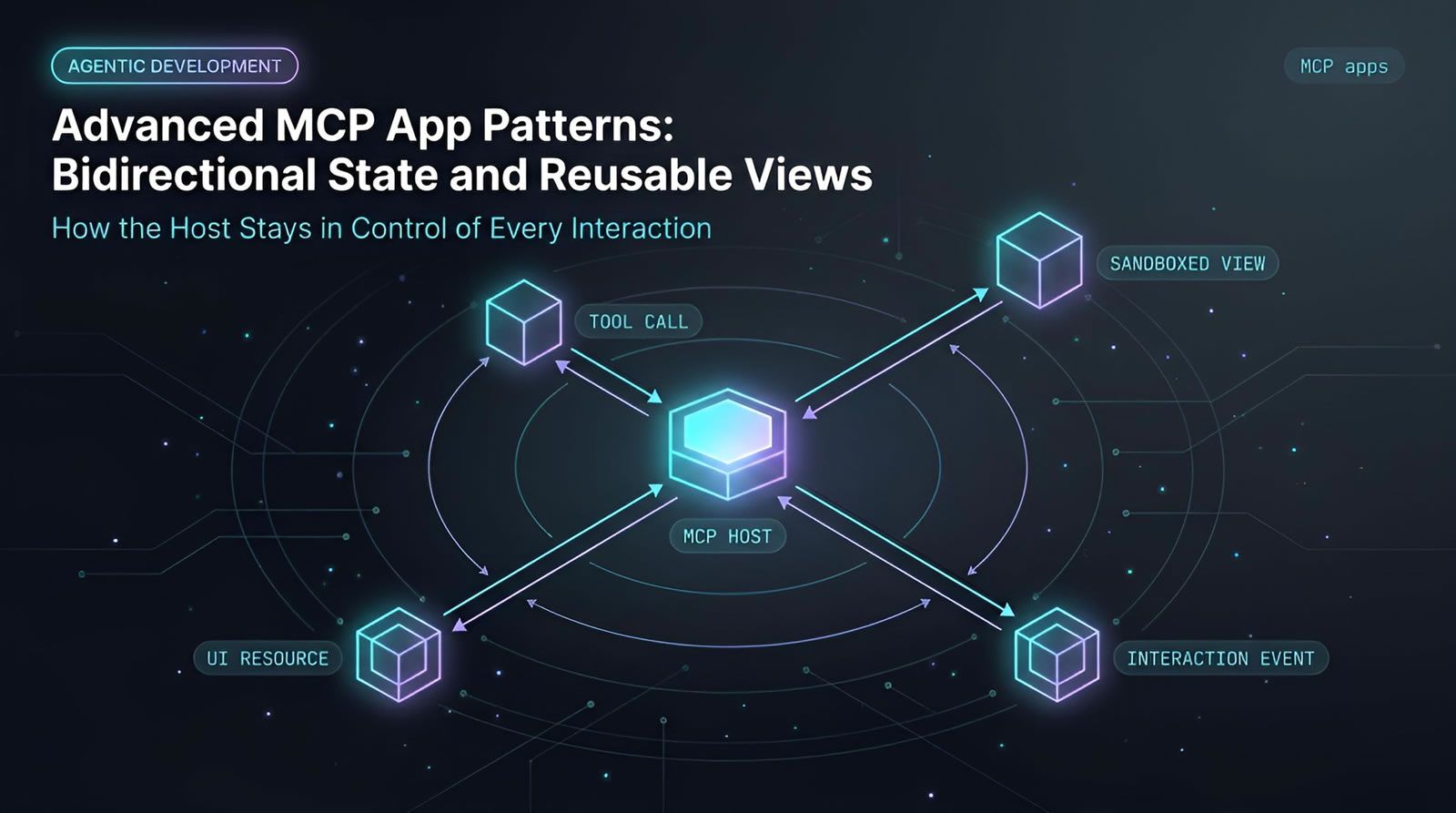
MCP Apps are a specification for returning an interactive interface from a Model Context Protocol server inside a compatible chat or coding host. Rather than translating product data into a long text reply, an app can supply a focused interface that preserves visual context and supports actions. The host renders the interface in an isolated environment, receives interaction events, and decides how to continue the agent workflow. For engineering teams building assistant-driven tools, MCP Apps make it practical to turn tools, charts, forms, and status views into usable surfaces instead of text-only integrations. An agent-first project control plane can apply the same principle to project context, verification, and accountability.This builds on how MCP Apps work , the sandboxed rendering and host-controlled action loop that make richer, stateful patterns like reusable views possible.
At a Glance
MCP Apps let assistants present and operate interactive product interfaces inside a conversation.
- The problem: Text responses are often a poor interface for charts, dashboards, forms, and complex decisions.
- The model: An MCP tool call can connect to a UI resource that the host renders in a sandbox.
- The control boundary: User actions flow back to the host, which decides whether to prompt, call a tool, or take another permitted action.
- The advantage: A standards-based app can work across multiple compatible hosts without a separate custom integration for each one.
- The shift: Product experiences can become composable UI fragments within an assistant-led workflow.
Why are text-only MCP responses often not enough?
Text-only MCP responses work for simple lookups, but they become inefficient when users need to interpret trends, compare options, complete structured input, or act on data. MCP Apps address that gap by allowing a server to provide a purpose-built interactive view rather than forcing every result into prose.
A paragraph can accurately describe a conversion funnel, but it makes the reader reconstruct the funnel mentally. A small chart, labeled steps, and selectable segments reduce that work immediately. The same pattern applies to calendars, inventory, search results, booking flows, configuration forms, and operational dashboards. This is the same shift toward richer, purpose-built interfaces that agentic software development points to more broadly (agents work better when the surfaces around them are built for the task, not retrofitted from generic text).
This is not only a visual preference. Text strips away information architecture that a product team may have refined for years. A service might have established visual hierarchy, domain-specific controls, and recognizable interaction patterns. When an assistant returns a generic text summary, that work disappears.
Interactive UI also helps users ask better follow-up questions. Selecting a funnel step, choosing a date range, or clicking an unusual metric gives the assistant precise context. Instead of writing another vague request, the user can point directly to the object that needs explanation or action.
The result is a more useful division of labor: the model interprets intent and coordinates tools, while the application presents domain-specific information in a form people can scan and manipulate.
What is the core architecture behind MCP Apps?
MCP Apps connect a tool result to a UI resource, which a compatible host renders as an isolated application surface. Events from that surface return to the host, allowing the assistant to decide how to continue the workflow through prompts, tools, resources, or other supported actions.
The architecture has four practical parts:
- User intent: A request in a chat or coding environment starts the flow, such as asking for funnel performance or requesting help with a form.
- MCP server: The server exposes tools and resources relevant to its service, data, or workflow.
- Interactive resource: A tool result links to a resource containing UI content, commonly rendered through a web component or similar host-supported surface.
- Host-controlled actions: When the user interacts with the UI, the app emits an event. The host receives it and determines the next permitted step.
This distinction matters. The embedded app does not simply bypass the assistant and take arbitrary action on its own. The host remains the coordinator of the interaction. It can interpret the user event, apply its own policy, invoke a relevant server tool, or ask for confirmation.
The official Model Context Protocol resources specification describes resources as a way for servers to expose data and content that clients can retrieve and use. MCP Apps build on this general model by making UI-capable resources usable as an interactive application experience.
How does an MCP App turn a click into an agent action?
An MCP App turns a click into an agent action by reporting an interaction event to the host instead of directly controlling the entire journey. The host receives the event, interprets it in context, and can call a tool, send a prompt, retrieve another resource, or request user approval. WebMCP applies a similar host-mediated model to the browser itself — exposing page-level tools and actions to agents without handing over direct control of the page.
Consider a product analytics app that displays a funnel. A user selects a stage with unexpectedly high drop-off. The embedded application can report that selection to the host. The host can then ask the model to explain the selected stage, query a supporting analytics tool, or produce a new UI view focused on the issue.
This gives the conversation a structured interaction loop:
- The user asks for information or requests an action.
- The host calls an MCP tool.
- The tool response identifies an interactive UI resource.
- The host renders the resource in an isolated environment.
- The user interacts with a control, item, or visual element.
- The app reports the event to the host.
- The host decides what should happen next.
Host control is important for both product design and governance. In an assistant-first experience, an individual service may not own every next step in the journey. The assistant can combine information and actions from multiple services according to the user’s broader goal.
For engineering workflows, that same pattern can connect an issue, a test result, a pull request, and a deployment signal without reducing the entire flow to status text. The host still coordinates work, but each connected system can supply the right interface for its own domain.
Why does sandboxed rendering matter for interactive agent interfaces?
Sandboxed rendering matters because MCP Apps bring externally supplied UI into a host environment that may combine multiple tools and services. Isolation limits how the embedded interface runs, while host-mediated communication gives the assistant a controlled path for responding to user actions.
Interactive surfaces are more capable than static text. They can display rich information, accept input, and initiate events. That capability needs clear boundaries. The host should know what an app is requesting and retain authority over whether a requested follow-up is appropriate.
This reinforces a useful design principle for agentic systems: separate presentation from authority. An application can render the best interface for its data, but it should not automatically gain unrestricted control over the user’s assistant, tools, credentials, or connected systems.
The approach aligns with broader MCP security guidance. The MCP authorization specification emphasizes explicit authorization patterns for protected resources and tools. UI capability does not eliminate the need for scoped access, approval boundaries, or observable actions.
Teams should treat an MCP App as a component in an agent workflow, not as a trusted shortcut around normal controls. The embedded UI should have a defined purpose, the available actions should be limited, and sensitive changes should remain attributable and reviewable.
Keep agent work connected to the project record.
Levr gives coding agents shared issues, acceptance criteria, tests, quality gates, and activity history so interactive agent workflows remain visible to the people responsible for the outcome.
Explore agent-first project workflows
What does “write once, run anywhere” mean for MCP Apps?
For MCP Apps, “write once, run anywhere” means a server can provide an interactive application through a shared protocol rather than building a different UI integration for every assistant host. In practice, the experience still depends on each host’s level of specification support and rendering capabilities.
Without a common standard, every platform integration becomes its own project. A team may need separate implementations for a chat client, an IDE assistant, a collaboration tool, and a browser-based agent. The cost is not just initial development. It also includes ongoing compatibility work, inconsistent behavior, and uneven product quality.
A shared MCP Apps approach changes the distribution model. The server describes a resource and interaction flow once, while compatible hosts provide the rendering and host-side coordination. This can make it easier for a service to reach users across multiple assistant environments.
OpenAI’s Apps SDK documentation reflects the same direction: applications can extend ChatGPT with user interfaces and tools that participate in an assistant workflow. Standards-based interfaces reduce the pressure to make every distribution channel proprietary.
“Write once” should not be confused with “test nowhere.” Teams still need to validate rendering, accessibility, interaction handling, and degraded behavior across target hosts. A robust implementation should also provide useful fallback text for clients that do not render the interactive resource.
How could MCP Apps change the way people use the web?
MCP Apps could shift some web activity from navigating full websites toward completing focused tasks through assistant-composed UI fragments. Instead of opening many tabs and learning each service’s workflow, users can express an outcome and interact with only the relevant parts of each connected service.
Traditional websites are designed as complete destinations. They include navigation, discovery, account controls, brand content, and many functions that may be irrelevant to a single task. An assistant that understands context can request only the pieces needed for the current goal.
For example, planning an event might require a calendar availability view, a location selector, a reservation option, and a purchase choice. An assistant can coordinate the sequence while each connected service contributes its own recognizable UI fragment.
This does not mean websites disappear. Full products remain necessary for complex work, broad exploration, administration, and deep configuration. The change is that more routine tasks can become assistant-led experiences where the user sees compact, contextual interfaces rather than entire destinations.
That changes product design. Teams will need to consider not only how a person navigates a site, but also which discrete UI capabilities should be safely exposed to an agent host. The best candidates are small, legible, goal-oriented views with clear inputs, outputs, and action boundaries.
How should engineering teams design an MCP App?
Engineering teams should design MCP Apps around a narrow user decision or action, use structured interaction events, maintain secure boundaries, and provide text fallbacks. Start with a useful workflow that benefits from visual context rather than attempting to reproduce a complete product inside a chat.
A practical implementation checklist includes:
- Choose a UI-worthy task: Start with a chart, selection flow, status board, preview, configuration form, or comparison view where text creates avoidable cognitive load.
- Define the resource contract: Make it clear which tool result maps to which UI resource and what information the resource needs to render.
- Keep actions explicit: Emit specific events such as selecting an item, submitting a value, requesting an explanation, or asking to run a known tool.
- Let the host coordinate: Do not assume the app owns the next step. The host should determine whether to prompt, call a tool, request consent, or stop.
- Build graceful fallbacks: Return meaningful text or structured data for hosts that cannot render the interactive experience.
- Test the full loop: Verify initial rendering, event delivery, tool execution, error states, authorization boundaries, and the user-visible outcome.
For a development team, an effective first app might show issue health for a release: blocked work, failing test runs, open defects, and linked pull requests. The UI should not become a second project tracker. It should help someone identify the next decision, then let the host coordinate the next action.
How can Levr support interactive agent development workflows?
Levr can support interactive agent development workflows by giving coding agents and humans the same project objects, acceptance criteria, test results, quality gates, and activity history. This creates a control plane where agent actions have context and where verification remains connected to the work being performed.
One way to structure an agentic workflow in Levr is:
- Define intent: Create an issue with clear acceptance criteria, dependencies, and expected outcomes.
- Assign or route work: A coding agent can read the same project context as the human team and update the issue as work progresses.
- Verify the result: Tests and execution results can be connected to the issue and its acceptance criteria rather than scattered across separate tools.
- Review and approve: Human checkpoints and workflow gates keep responsibility visible before work reaches completion.
Interactive MCP Apps could complement that model by presenting small operational views within a coding assistant: a release readiness summary, a test failure breakdown, a dependency view, or an approval form. The useful standard is not visual novelty. It is whether the view helps a developer or engineering manager make a better decision without losing the project record.
Learn more about Levr’s agent-first project features and the agentic workflow model.
Technical Deep Dive FAQ
What are MCP Apps?
MCP Apps are interactive application interfaces delivered through the Model Context Protocol. They allow an MCP server to provide more than text, such as a chart, form, dashboard widget, or selectable result list. A compatible host renders the interface and coordinates the response when someone interacts with it. The approach gives services a way to retain domain-specific UI while participating in a broader assistant workflow.
What is the difference between MCP and MCP Apps?
Model Context Protocol is a general protocol for connecting AI hosts to external tools, resources, and prompts. MCP Apps extend that ecosystem by supporting interactive user interfaces associated with those integrations. MCP can return structured data or text without an app interface. MCP Apps add a standardized path for a host to render UI content and receive user interaction events from that UI as part of the agent loop.
Are MCP Apps the same as MCP UI?
MCP UI is the earlier open approach that established the idea of sending interactive applications through MCP. MCP Apps is the official extension built on that direction alongside MCP SDK work and related solutions. In practical terms, both address the same problem: allowing MCP-connected services to return interactive interfaces rather than only text. The specification continues to evolve through an open working group and community contributions.
How does an MCP tool call connect to an interactive interface?
An MCP tool call can return or link to a registered resource containing UI content. The host retrieves that resource and renders it using its MCP Apps support, commonly through a web component or a React-compatible rendering surface. The important implementation detail is the connection between tool output and resource identity. That link tells the host that the result should be presented as an application surface rather than summarized only as text.
Can an MCP App directly call a service backend after a user clicks a button?
The MCP Apps interaction model is designed around host control. When a user interacts with the embedded interface, the app reports an event back to the host. The host can then decide to invoke an MCP tool, retrieve a resource, issue a prompt, or request confirmation. This keeps the agent host in the loop and makes the interaction easier to govern, inspect, and connect with the wider assistant context.
What kinds of interfaces are best suited to MCP Apps?
The best MCP Apps are focused interfaces where visual structure or direct manipulation is more useful than prose. Common examples include analytics charts, status summaries, data tables, item selectors, booking options, configuration forms, previews, and progress views. A good app helps someone understand or act on a specific piece of information quickly. Rebuilding an entire website inside a chat is usually less useful than exposing a compact task-specific UI.
How do MCP Apps relate to generative UI and declarative UI?
MCP Apps fit into a broader spectrum of UI approaches. A predefined app can render a controlled interface supplied by a service. Declarative UI approaches can describe what to render through a structured format, allowing the host to construct the view. Fully generative UI allows the model to create an interface dynamically. MCP Apps can support interoperability across these approaches because the specification is intended to be agnostic about how the final UI is generated.
What are reusable views and app tools in MCP Apps?
Reusable views are an emerging concept for preserving and updating a heavy interface instead of repeatedly recreating it from scratch. This is especially relevant for complex applications such as 3D rendering tools. App tools, also described as view tools in this context, address the reverse direction of communication: they allow the host to instruct an app to perform an interface-related action, such as filling a form based on a user request.
What should teams test before releasing an MCP App?
Teams should test resource loading, sandboxed rendering, host compatibility, interaction events, tool invocation, authorization boundaries, failures, and fallback behavior. Test whether a user can understand the view without additional explanation and whether every action produces an expected, attributable result. It is also important to validate that a host which does not support the UI can still receive useful text or structured data instead of a broken experience.
Will MCP Apps replace websites and native applications?
MCP Apps are unlikely to replace full websites and native applications. Complex products still need complete environments for exploration, administration, collaboration, and deep configuration. MCP Apps are better understood as a distribution and interaction layer for focused tasks. They let a service provide the relevant slice of its experience within an assistant-led flow, while the full product remains available when the task requires more depth or control.
How do MCP Apps affect auditability in agent workflows?
MCP Apps can improve auditability when hosts record the user request, rendered app context, interaction events, tool calls, and resulting actions in the same workflow. Because the host coordinates the transition from a click to a follow-up action, it has a natural point to apply policy and preserve an activity trail. Teams should still design their systems to record relevant inputs, approvals, identities, and outcomes, especially for write-capable operations.
Key Takeaways
MCP Apps add interactive interfaces to the Model Context Protocol, making assistant-based tools more useful for visual, structured, and action-oriented work.
The practical lesson is simple: use text for explanation, and use interactive UI when people need to see, choose, compare, or act.
- Better interfaces: Charts, forms, dashboards, and selectable views can communicate complex information faster than a wall of text.
- Host coordination: Interaction events return to the host, which remains responsible for determining the next agent action.
- Portable distribution: A shared standard can reduce the need to build separate interactive integrations for every assistant host.
- Security boundary: Sandboxed rendering and host-mediated actions help separate presentation from authority.
- Engineering opportunity: Build focused, task-specific surfaces that fit into observable workflows with clear verification and approval paths.
The agentic web is not only about giving models more tools. It is also about giving people better ways to understand and direct what those tools do.
Further reading
- Model Context Protocol resource specification
- Model Context Protocol authorization specification
- OpenAI Apps SDK documentation
- Levr agent-first project control plane
- Levr features for human and coding-agent teams
- How Levr’s agentic workflow operates
- AI security and the agent-ready web
Ship at agent speed
Give your coding agents a control plane, not just a prompt.
Levr connects your coding agents, including Claude Code, Cursor, Codex, and Copilot, to shared project context with issues, gates, test suites, and memory. Free tier available. No credit card required.
Levr provides agent messaging, shared context, and coordination across agents so work remains connected to the project record.
No credit card required during beta.