
Building an AI-Powered Knowledge Base for Production Agents
Karpathy LLM Wiki style agent memory works extremely well when the agent is just for you: a local folder of markdown, fast iteration, and flexible knowledge you can shape over time. But once you ship that agent to other users, the architecture has to change.
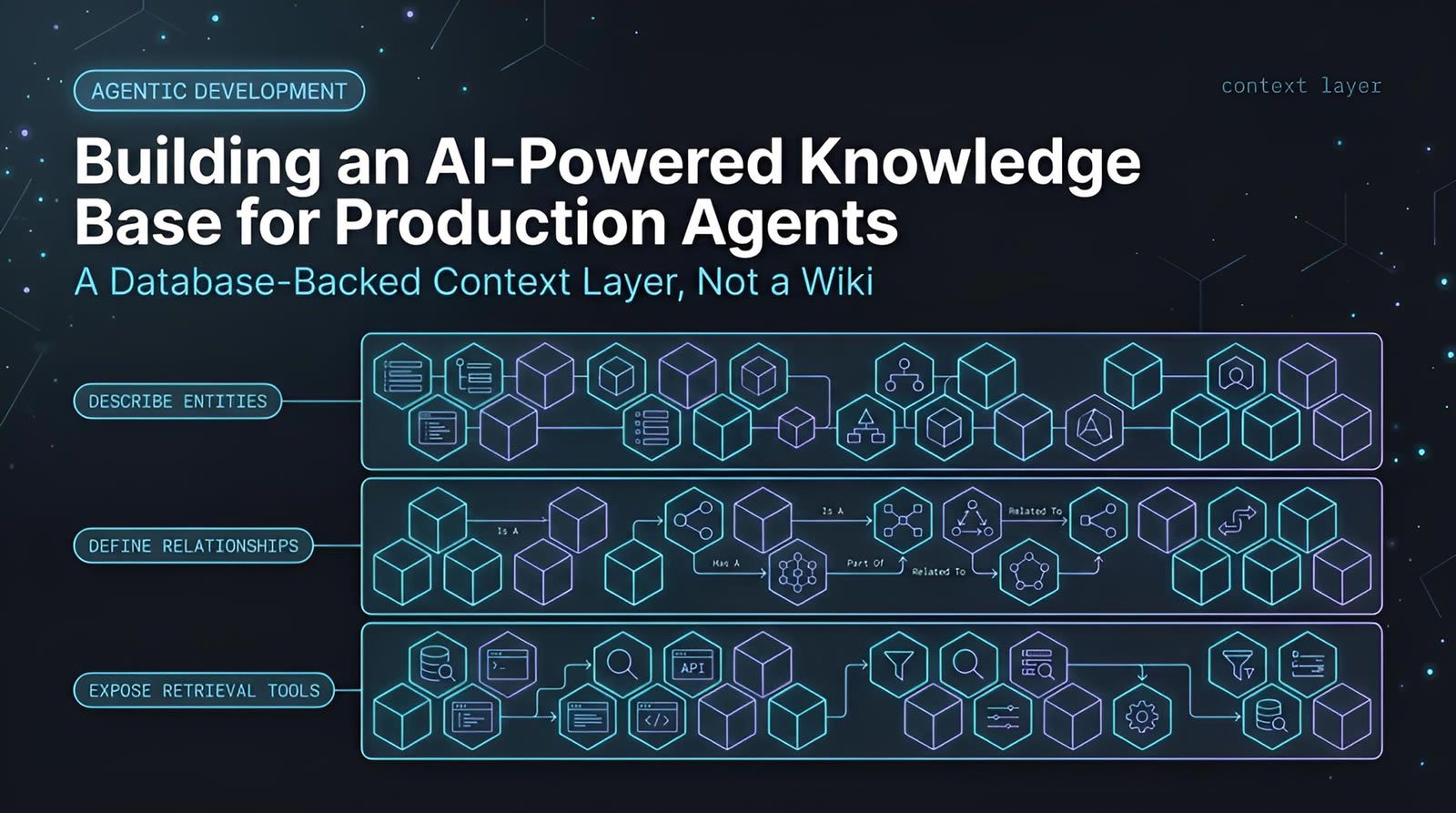
Karpathy LLM Wiki style agent memory works extremely well when the agent is just for you: a local folder of markdown, fast iteration, and flexible knowledge you can shape over time. But once you ship that agent to other users, the architecture has to change. Multi-user access, live business data, retrieval at scale, and customer-specific memory require a database-backed context layer instead of a pile of files. In practice, production agents need structured retrieval, access boundaries, and durable short-term and long-term memory. That is the same gap agent-first systems are built to solve when agents move from personal assistance to shared operational workflows.
At a Glance
Personal agent patterns and production agent patterns solve different problems.
- Best use for markdown: Local, personal agents where simplicity and flexibility matter more than governance or scale.
- Why it breaks: File-based memory struggles with many users, real-time data, access control, and efficient retrieval.
- What replaces it: A database plus a context layer that exposes safe, efficient ways for agents to search and use business data.
- Memory model: Production agents need both short-term conversation state and long-term user memory that can be searched later.
- Key design shift: Stop thinking in terms of documents the agent reads and start thinking in terms of structured tools, retrieval paths, and controlled memory promotion.
Why does a Karpathy LLM Wiki work so well for personal agents?
A markdown-based wiki works for personal agents because it is simple, flexible, and local. You can grow it over time with minimal overhead, and the agent can read and write knowledge directly without needing production-grade governance, authentication, or retrieval constraints.
That simplicity is the main advantage. If you are using a coding agent on your own machine, a folder of markdown files can act like a living knowledge base. Index files, tags, categories, and entity pages give the agent enough structure to navigate your information.
This pattern is popular because it matches how many developers already work. Markdown is easy to edit, easy to version, and easy to inspect. For a second-brain setup, that matters more than formal schema design.
It also stays fast because everything is close to the agent. There is no need to orchestrate multiple services or design a retrieval API. For one user on one machine, local files are often the shortest path to useful results.
Why does markdown memory stop scaling once other people use the agent?
Markdown memory stops scaling when the agent serves multiple users because file-based storage is weak at access control, real-time retrieval, and large-scale organization. The problem changes from personal knowledge management to production data access, which requires a different architecture.
The moment an agent is shared, it has to do more than remember notes. It must work with live business data, respect user boundaries, and answer quickly across many requests. A pile of markdown files is not designed for that.
There are several practical limits:
- Many users at once: Personal file structures are not built for concurrent customer interactions.
- Live data: Orders, tickets, shipments, and customer records change continuously.
- Access control: Different users should see different data.
- Retrieval efficiency: Reading broad documents is more expensive than targeted queries.
- Operational traceability: Production systems need clearer control over what the agent accessed and why.
There is also a cost issue. Personal setups often rely on tools and subscriptions intended for individual usage. Production agents need an architecture that can handle cost more predictably and avoid wasteful token-heavy retrieval patterns.
What changes when you build an agent for production instead of yourself?
A production agent needs a database-backed context layer instead of raw document memory alone. The architecture shifts from broad file reading to targeted retrieval, customer-specific memory, and structured access paths that help the agent use business data safely and efficiently.
This is the core architectural shift. In a personal setup, the agent can browse a knowledge base somewhat loosely. In production, that becomes too slow, too expensive, and too difficult to govern.
A production-ready design usually needs two distinct capabilities:
- Context retrieval for business data: The agent must understand what data exists and how to query it.
- Agent memory for users: The agent should remember customer-specific facts and preferences across sessions.
That means the database is not just a storage backend. It becomes part of the agent interface. The agent needs a reliable layer that explains the data model, defines valid search operations, and surfaces the right information without forcing the model to infer everything from scratch.
What is a context layer for production agents?
A context layer is the wrapper between the agent and the underlying data store. It tells the agent what data exists, how entities relate, and which retrieval operations it can perform, turning raw business data into usable, efficient agent context.
Without this layer, a flexible data store can be hard for an agent to navigate. If your database contains loosely structured records, the model may not know which fields to query, how entities connect, or how to filter effectively.
A good context layer solves that by doing three jobs:
- Describe entities: Customers, products, orders, shipments, tickets, and other business objects.
- Define relationships: Which customer owns which order, which order maps to which shipment, and so on.
- Expose retrieval methods: Search, filter, and lookup actions the agent can call directly.
This is conceptually similar to metadata in a personal wiki. The difference is that production systems need far stricter and more scalable machinery underneath.
How does a context retriever help an agent work with business data?
A context retriever helps an agent use business data by turning database access into clear retrieval operations. Instead of scanning documents, the agent can call focused tools to filter, search, and traverse records across customers, orders, products, or support data.
In the demonstrated architecture, the retriever sits on top of a Redis-backed data model and gives the agent structured access. The underlying data can stay flexible, but the agent no longer sees only a vague pile of records.
Once entities are defined, the retriever can surface the operations the agent needs, such as:
- Filter by attribute: Customer by email, city, or ID.
- Filter by status: Orders marked delayed.
- Text search: Tickets mentioning a specific term like refund.
- Relationship traversal: From a customer to orders, then from orders to shipments.
This matters for performance. Focused tool calls reduce broad context stuffing, which keeps token usage lower and responses more precise.
It also fits what many teams are building around MCP, or Model Context Protocol. Instead of giving the model unrestricted access to a data source, you expose defined capabilities. That approach is easier to reason about and scale.
Why are auto-generated retrieval tools useful for agent performance?
Auto-generated retrieval tools are useful because they remove guesswork for the model. The agent gets explicit operations for searching and filtering data, which improves efficiency and lowers token use compared with asking the model to infer database structure from raw context.
That benefit is easy to underestimate. If an agent has to inspect broad documentation before every retrieval task, latency and token cost climb quickly. If instead it sees a tool like “filter delayed orders” or “search ticket text,” the path is direct.
In the example architecture, defining entity attributes causes useful operations to become available automatically. Text fields support search. Structured attributes support filters. The result is a tighter loop between question and retrieval.
This pattern also reduces fragility. The model is less likely to invent a query path when the valid access methods are already present and named.
Give your coding agents shared context, not scattered prompts.
If your team is moving from personal agent experiments to production workflows, Levr’s agentic workflow gives agents scoped tasks, verification steps, and shared project context.
See how teams structure agent work
How should production agent memory handle short-term and long-term recall?
Production agent memory should separate short-term conversation state from long-term user memory. Short-term memory holds current session context, while long-term memory stores durable facts and preferences that can be recalled in later interactions through search.
This split is important because not everything said in a conversation deserves permanent storage. Most session details are temporary. A smaller set of details, such as a customer preference, identity detail, or recurring instruction, should be promoted for future use.
A strong memory system therefore needs:
- Session memory: The current conversation and its immediate state.
- Long-term memory: Durable information extracted from prior sessions.
- Searchability: A way to recall the right memory later without scanning everything.
That is a major difference from a single markdown memory file. Production agents need memory management as an active system, not just a static repository.
How do you promote useful conversation details into long-term memory?
Useful conversation details are promoted into long-term memory by extracting the high-value facts from short-term interactions. The goal is to keep the “golden nuggets” and discard the rest, so later retrieval is relevant instead of noisy.
In the demonstrated pattern, a background process handles this promotion automatically. Session data is stored first, then important facts are extracted and saved in a form suitable for future search.
A typical example is a customer preference. If a user says they prefer expedited reshipment over refunds for delayed orders, that preference can be promoted and reused in future support conversations.
This mirrors a familiar pattern from second-brain systems. The difference is that promotion now happens inside a scalable production memory pipeline rather than in hand-curated markdown.
Why does vector search matter for long-term agent memory?
Vector search matters because long-term memory can grow large very quickly. Semantic retrieval lets the agent find the most relevant prior memory for a user without scanning every past interaction, which keeps recall scalable even across very large memory sets.
That is especially important when each user may accumulate many memories over time. The agent should not need exact wording to find what matters. A request like “handle it the way I asked last time” must still retrieve the relevant preference.
Vector-backed memory helps because it supports meaning-based lookup rather than exact keyword matching. That makes it a better fit for conversational recall, where users rarely repeat prior instructions in identical language.
The end result is a memory system that stays useful as usage grows, rather than collapsing under its own history.
What does a real production agent flow look like in an e-commerce setting?
A production agent flow in e-commerce combines business-data retrieval with user memory. The agent identifies the customer, looks up relevant records like orders and shipments, recalls past preferences, and then uses those pieces together to answer or act appropriately.
The demonstrated support flow is a strong example. A customer asks why an order is late and requests handling similar to a previous case. To answer well, the agent needs more than one type of context.
It must:
- Find the user’s memory: Past handling preferences.
- Retrieve customer data: Identity and account context.
- Retrieve order data: Relevant delayed order information.
- Retrieve shipment data: Current shipment status.
That layered retrieval is the real point. Production agents are rarely answering from one source alone. They are composing a response from business records plus persistent memory.
How do you choose between coding-agent SDKs and lighter production agent frameworks?
For production agents, lighter frameworks can be a better fit than coding-agent SDKs designed for long-running development tasks. The tradeoff described here is speed and token efficiency: coding-agent SDKs are powerful, but they may be heavier than needed for customer-facing runtime flows.
In the implementation shown, Pydantic AI was used for the production agent rather than a coding-agent SDK. The reasoning was straightforward: coding-agent stacks are optimized for extended agentic coding work, while customer support and analytics flows benefit from faster, more focused execution.
This is not a blanket rule. It is a design consideration. If your runtime agent mainly needs targeted retrieval, memory access, and a controlled set of tools, a leaner application-layer framework may be more practical.
Where Agent Activity Meets Shared Context: The Levr Dashboard
A knowledge base only helps agents if it's connected to what they're actually doing. The Levr Dashboard ties open issues, recent runs, and active cycles to the same shared project context agents draw from knowledge and execution in one view.

The Levr Dashboard connects agent activity to the same shared context that powers production knowledge retrieval.
How do you give production agents shared operational context across a team?
Production agents need more than data access. They also need operational context around tasks, validation, and handoffs. A shared control plane helps teams coordinate human and agent work instead of leaving each agent run isolated from the broader software delivery process.
This becomes especially important once multiple coding agents participate in the same project. Data retrieval solves one problem, but project coordination is another. Teams still need issue context, test gates, and visibility into what the agent is doing.
One way to handle that is with an agent-first control plane such as Levr’s shared project and test layer. The common pattern is:
- Define intent in natural language
- Let agents pick up scoped tasks
- Run automated verification
- Require human review and approval
When teams start running multiple agents at once, the infrastructure problem gets bigger too. That is where Levr becomes relevant: shared memory, agent-to-agent messaging, and routing matter once the workflow is no longer a single isolated assistant.
Industry trends support this broader shift. The Stack Overflow Developer Survey 2024 shows continued mainstream use of AI tools in development, while developers still report concerns around accuracy and trust. That gap is exactly why retrieval, memory discipline, and verification matter in production.
Likewise, GitHub’s Octoverse reporting has tracked the growing role of AI in software development workflows. Adoption is no longer the hard part. Operational structure is.
What mistakes do teams make when they try to ship a personal-agent architecture to production?
Teams usually fail when they assume a personal-agent memory setup can simply be enlarged for production use. The common mistakes are overusing markdown, under-designing retrieval, skipping memory promotion rules, and ignoring access boundaries until late.
Watch for these failure modes:
- Using documents where tools should exist: The model spends tokens reading instead of acting on precise retrieval operations.
- Treating all memory as equal: Permanent memory becomes noisy and low quality.
- Skipping identity assumptions: Production agents need strong user linkage, usually through authentication.
- Ignoring schema hints: Flexible data still needs an intelligible shape for the model.
- Building for one agent run at a time: Shared operations require observability and coordination.
A good rule is simple: if other people are logging in and depending on the system, you are not building a second brain anymore. You are building an application.
Technical Deep Dive FAQ
What is a Karpathy LLM Wiki?
A Karpathy LLM Wiki is a markdown-centric knowledge pattern for personal agents. It usually consists of index documents, tags, and entity pages that an agent can read and update over time. The appeal is simplicity: local files are easy to inspect, edit, and version. This works especially well when one person is building a second brain or personal assistant on their own machine, because the system does not need production-grade retrieval, access control, or multi-user concurrency.
What is the difference between a personal agent and a production agent?
A personal agent is built mainly for one user, often with local context and flexible memory. A production agent serves multiple users, works with live business data, and needs stronger rules around retrieval, identity, and performance. The architecture therefore changes substantially. Personal agents can often rely on broad document memory, while production agents need a database-backed context layer and a deliberate memory system that can scale across many users and sessions.
Why is markdown still useful if it does not scale to production?
Markdown remains useful because it optimizes for the right things in personal workflows: flexibility, readability, and low setup cost. It is not the wrong tool. It is the wrong tool for the wrong stage. If your agent is local and personal, markdown may be ideal. It becomes a problem only when the same pattern is stretched into customer-facing or team-facing software, where access control, structured retrieval, and performance are now required.
Why does a production agent need a database even if the data is semi-structured?
A database is still useful when data is semi-structured because production systems must handle scale, concurrency, and efficient lookup. Even if your records are flexible, you still need a reliable way to store, filter, and relate them. File systems are not designed to act as multi-user memory and query engines. A database gives you the storage layer, while a context layer makes that storage legible and actionable for the agent.
What does a context retriever actually expose to the model?
A context retriever exposes an intelligible map of the underlying data and the operations the model can perform against it. That includes entities such as customers or orders, attributes that can be filtered, and searchable text fields. In practice, the model sees tools or endpoints rather than a raw database dump. That changes the interaction from “infer the structure and search somehow” to “call a valid retrieval path that is already defined.”
How is short-term memory different from long-term memory in agent systems?
Short-term memory is the active conversation state for the current session. Long-term memory is the compact set of facts worth preserving across sessions, such as a user preference or historical behavior pattern. They should not be stored or used the same way. Short-term memory needs immediacy and continuity. Long-term memory needs selectivity and searchability. Mixing them together usually makes recall noisy and reduces the quality of future interactions.
How do production agents remember preferences without storing entire conversations forever?
They do it by storing the conversation as session memory first, then extracting the important facts for long-term storage. This creates a cleaner memory store made of durable insights rather than complete transcripts. A preference like “reship delayed orders instead of refunding” is much more useful than retaining every sentence around that preference. This extraction step is what keeps memory systems compact, relevant, and practical to search at scale.
Why is semantic search a good fit for long-term memory retrieval?
Semantic, or vector-based, search is a good fit because users rarely restate old preferences with identical wording. Instead of exact text matching, semantic retrieval lets the system find memories by meaning. That matters when a user says something vague like “do it the same way as before.” The system can still recover the right long-term memory if that memory was stored in a searchable form built for recall by intent, not just by keyword.
Can a production agent use both business-data retrieval and user memory in the same answer?
Yes, and that is often where the strongest value comes from. A business-data layer answers factual questions about orders, products, shipments, or tickets. User memory adds personalization, continuity, and historical preference. Combining them lets the agent respond in a way that is both accurate and tailored. For example, an order-support reply may require current shipment status from business records and prior handling preferences from long-term memory at the same time.
When should engineering teams add a control plane on top of agent retrieval and memory?
Teams should add a control plane when agents move from isolated interactions into shared delivery workflows. Retrieval and memory help the agent know things. A control plane helps the team manage work, tests, approvals, and visibility around what agents are doing. This matters when coding agents contribute to the same backlog or release process as humans. At that point, coordination, validation, and observability become first-order requirements, not optional extras.
Key Takeaways
Personal-agent architecture and production-agent architecture are both valid, but they are not interchangeable.
The right memory model depends on who the agent is serving and what data it must handle.
- Use markdown locally: Personal agents benefit from simple, flexible, file-based memory.
- Use a context layer in production: Shared agents need structured retrieval over live business data.
- Split memory types: Keep session state separate from promoted long-term user memory.
- Prefer targeted tools: Focused retrieval operations are faster and cheaper than broad document stuffing.
- Think beyond memory: Once agents are part of team workflows, they also need shared context, verification, and operational visibility.
The main shift is not from markdown to databases alone. It is from personal knowledge access to production system design.
Further reading
Redis Iris Context Engine documentation
Redis Iris Context Retriever quickstart
Stack Overflow Developer Survey 2024
Levr blog: AI security and the agent-ready web
Ship at agent speed
Give your coding agents a control plane, not just a prompt.
Levr connects your coding agents, Claude Code, Cursor, Codex, and Copilot, to a shared project context with issues, gates, test suites, and memory. Free tier available. No credit card required.
Levr includes agent message bus, shared memory, and cross-agent context at no extra cost.
No credit card required during beta.