
How to embed a coding agent in your product
Embedding a coding agent in your product means giving software an adaptive runtime that can inspect context, choose from available tools, and complete tasks without a rigid step-by-step workflow. Instead of hard-coding every branch, you define instructions, expose the right capabilities, and...
Embedding a coding agent in your product means giving software an adaptive runtime that can inspect context, choose from available tools, and complete tasks without a rigid step-by-step workflow. Instead of hard-coding every branch, you define instructions, expose the right capabilities, and add guardrails around what the agent may do. That approach is useful for business automation, internal tooling, and power-user workflows where inputs vary too much for static forms alone. Platforms like Levr matter here because shared context, verification, and observability become more important as agents move from suggestion to action inside real systems and workflows.
At a Glance
The core design problem is not the model. It is the runtime around it.
- Primary idea: A coding agent becomes useful in a product when it can loop over tools, inspect results, and adapt to changing inputs.
- Key primitives: Instructions, tool design, extensions or hooks, and session logs are the main building blocks.
- Best fit: This works well for messy workflows such as email handling, case resolution, quoting, and other tasks that span multiple systems.
- Main risk: Giving an agent broad capabilities without tight tool scope and post-action checks creates obvious security and reliability problems.
- Practical takeaway: Start with draft-only actions, visible session history, and validation layers before allowing irreversible operations.
What does it actually mean to embed a coding agent in a product?
Embedding a coding agent means turning agent behavior into a product capability, not just a developer-side assistant. You expose tools, context, and task boundaries inside your app so the agent can operate on live business objects such as cases, customers, drafts, or records.
A useful mental model is simple. A coding agent is an agent that works in a loop and has access to tools. What makes it a coding agent, rather than a plain chatbot, is that it can use shell-like capabilities and external runtimes to inspect, transform, and act on information.
That matters because many product workflows are not clean decision trees. A request comes in, the system needs to inspect files, query APIs, compare data, draft a response, and recover when the first path fails. Static workflow builders can do some of this, but an agent can adapt when the path is not known in advance.
The point is not to replace application structure with freeform prompting. The point is to let the agent handle uncertain paths inside a system you still control.
Why do coding agents feel magical in the first place?
Coding agents feel impressive because they can discover a workable path instead of following one prewritten route. They inspect available inputs, try tools, read failures, and keep looping until they either complete the task or hit a real boundary.
That behavior creates the impression that the system is inventing new capabilities on the fly. In practice, it is usually combining existing capabilities in a flexible way. An agent may inspect a file, determine the file type, attempt one method, fail, then choose another tool that better fits the input.
The important lesson for product teams is architectural. The useful part is not the surface chat alone. The useful part is the combination of:
- General instructions that define the role and task
- A set of tools the agent may call
- A loop that lets it keep trying
- Runtime feedback from tool results and errors
If you want that same effect inside your own product, you need to design those pieces intentionally.
Which kinds of products benefit most from an embedded coding agent?
Products benefit most when work is repetitive but not perfectly standardized. If users often move across inboxes, APIs, records, and drafts, an embedded agent can reduce manual coordination while still keeping humans in control of final actions.
A strong example is after-sales or quoting operations. A request arrives by email, the system needs to identify the customer, understand the case, check CRM data, query an ERP for parts, and prepare a draft response. None of that is impossible without AI, but the branching logic gets complex quickly.
This pattern also fits:
- Support triage across multiple back-end systems
- Internal operations tooling where requests vary by customer or case
- Power-user workflows that need freeform chat over structured data
- Agentic developer tools that need shared project context and verification
For engineering teams, the same principle applies to software delivery. The more work spans context, tasks, tests, and approvals, the more valuable a control plane becomes. This is where agent-first systems like Levr’s workflow model fit naturally: define intent, let agents pick up scoped work, verify automatically, then require human approval.
How should you structure the core agent architecture?
Most embedded agent systems need a stable outer architecture and a flexible inner loop. The outer layer handles routing, permissions, and UI. The inner loop handles reasoning, tool use, and retries inside a scoped task or session.
One practical structure is to separate long-lived context from short-lived execution. For example:
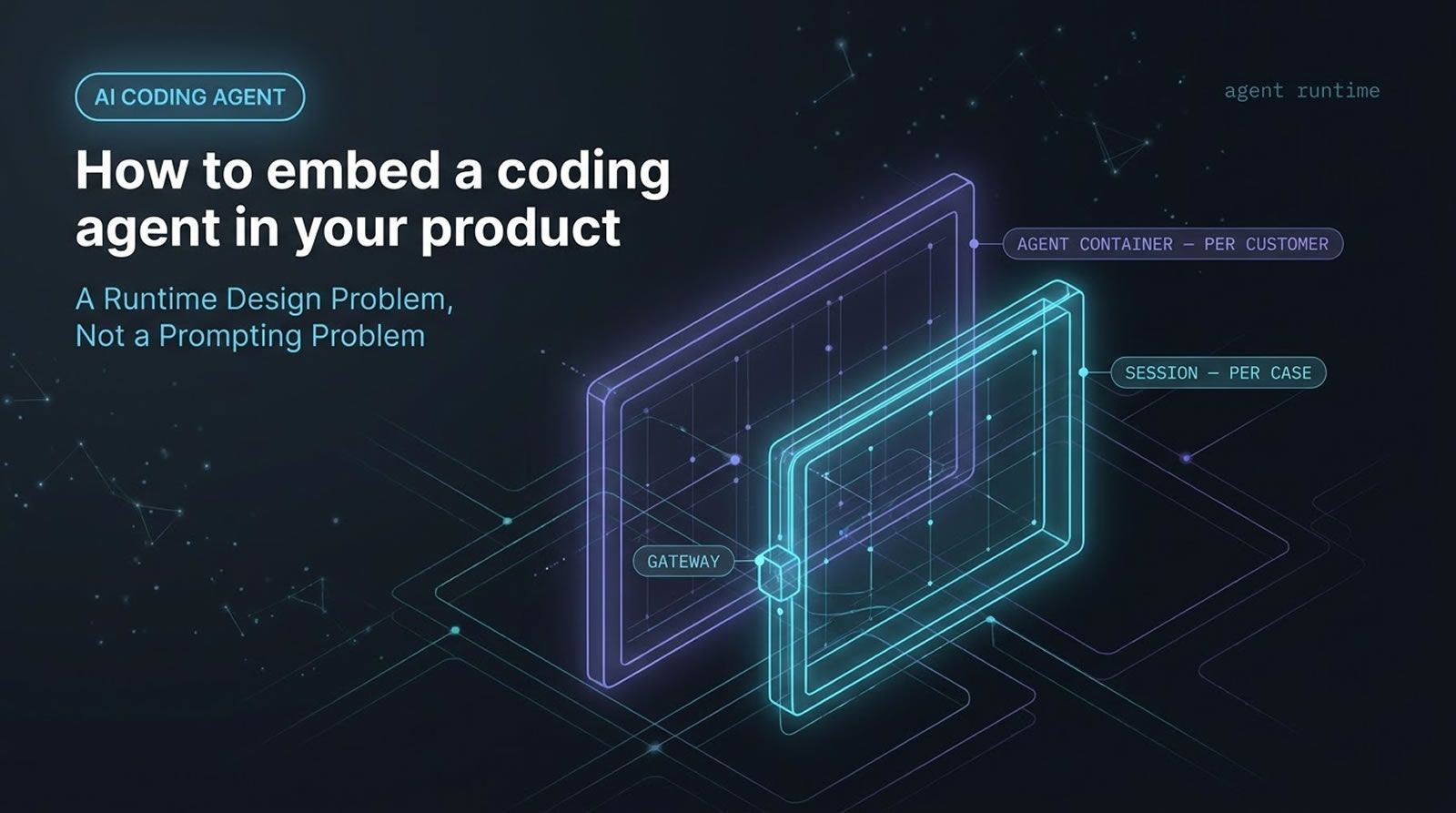
- One agent container per customer: stores reusable context and instructions tied to that account.
- One session per case: handles the live task, event history, and tool activity for that specific request.
- A gateway or router: decides where new requests should go and whether to attach to an existing case.
This makes the system easier to reason about. Customer-level knowledge stays persistent, while case-level work remains isolated and auditable.
That pattern also lines up with how engineering teams increasingly manage coding agents. Shared context should persist across runs, but each task needs its own bounded execution trail. Levr, addresses this kind of problem with agent message routing and shared memory across runs.
How do you design tools so the agent does the right thing?
Tool design is one of the biggest determinants of agent behavior. If tools are vague, overpowered, or poorly named, the agent must guess. If tools are explicit, scoped, and intent-revealing, the agent has a much better chance of choosing correctly.
Good tool design starts with one rule: do not make the agent guess. Tool definitions should clearly communicate purpose and boundaries. The goal is not just technical access. The goal is semantic clarity.
In a quoting workflow, for instance, a useful tool set might include:
- Case state lookup: read the current CRM status for a case
- Parts lookup: retrieve item data from the ERP system
- Draft email: generate a response draft, not send it
Notice the last one. Drafting is safer than sending. That design choice enforces a human checkpoint and limits blast radius.
This principle also shows up in security guidance across the industry. The Anthropic guide to building effective agents emphasizes careful tool definition and constrained actions, while broader research on AI use in development continues to show reliability concerns. The Stack Overflow Developer Survey 2024 highlights both strong adoption of AI tools and ongoing trust issues around correctness.
What should you avoid when exposing tools to an agent?
Do not rely on instructions alone to stop misuse. If you give an agent access to a dangerous tool, it may use it. The safest pattern is to withhold capabilities entirely unless they are necessary for the task.
This is where many teams go wrong. They expose a wide tool surface, then try to patch over the danger with prompt text like “do not use this” or “avoid that unless necessary.” That is weak control.
Better patterns include:
- Only expose tools needed for the current task.
- Split write actions from draft actions.
- Use separate tools for validation and execution.
- Hide admin or destructive operations completely.
- Swap tools dynamically when task scope changes.
If the agent should never send an email directly, there should be no send-email tool available. If it should never delete production data, that capability should not exist in its runtime.
How do extensions and hooks make embedded agents safer and more useful?
Extensions and hooks let you shape agent behavior at runtime without hard-coding the whole workflow. You cannot fully control what the model decides, but you can intercept tool execution, validate outputs, and inject additional context at critical points.
A useful place to hook into the flow is around tool calls:
- Before a tool call: block, rewrite, or add constraints.
- After a tool result: validate, filter, or enrich the output.
This creates a second layer of system logic around the model. For example, if the agent drafts an email, you can run a sanity check that the recipient domain matches the customer domain before the draft is accepted. That is more reliable than hoping the instruction prompt is followed every time.
You can also use hooks to inject relevant context only when needed. Instead of front-loading every possible detail into the prompt, the system can attach business data as the session unfolds. This is a practical form of context engineering.
Give agents context, gates, and visibility
If your team is embedding coding agents into real workflows, a shared control plane helps keep tool use, verification, and approvals observable instead of scattered across prompts and scripts.
See how Levr handles agent workflows
Why are sessions one of the most important primitives?
Sessions give embedded agents memory, auditability, and replay. A good session model records what happened, which tools were called, what results came back, and how the task branched over time.
This is more than chat history. A session can act as a structured event log. In the architecture described here, sessions are tied to cases, so each customer request gets a traceable execution path.
That matters for several reasons:
- Auditability: you can inspect why the agent did what it did.
- Recovery: you can revisit a branch that went wrong.
- Reuse: you can mine previous sessions for repeatable patterns.
- Multi-agent collaboration: other agents can operate on the same logged context.
A tree-shaped session model is especially useful because it supports branching paths instead of a single linear conversation. If one approach fails, the system can try another without losing the earlier context.
Can session logs become product features, not just debugging artifacts?
Yes. Session logs are not only for troubleshooting. They can become a source of learned behavior, repeatable skills, richer UIs, and cross-agent coordination if your system stores them in a structured, reusable way.
One especially interesting pattern is generating reusable skills from past sessions. If the system repeatedly solves a class of problems in a similar way, you can extract that pattern, formalize it, and evaluate it before reuse.
This turns the session history into a form of product memory. Instead of treating each run as disposable, you create a compounding system that gets better at recurring tasks.
That idea parallels what many engineering teams want from coding agents more broadly. They do not just want one successful run. They want accumulated context, learned routing, and better future performance. That is also why persistent memory and observability are central to agent infrastructure.
How can you move from workflows to chat to richer interfaces?
Embedded agents do not need to live only inside a fixed automation flow. The same tool layer can support guided workflows, power-user chat, and richer interactive interfaces that expose structured results instead of raw model output.
A practical progression looks like this:
- Start with a workflow: route requests through a guided case flow.
- Add power-user chat: let advanced users inspect or steer live sessions.
- Render rich UI blocks: replace raw JSON with editable interfaces for tool results.
For example, if a parts lookup returns structured data, you do not need to show the raw payload. You can show a proper interface where the user edits quantity or confirms a line item. That creates a middle ground between pure automation and pure chat.
This also matches the broader shift toward agent-compatible interfaces. Richer tools are useful, but they still need structured boundaries.
What does malleable software mean in an agentic product context?
Malleable software is software that adapts to user needs instead of forcing every user into a fixed flow. In an agentic context, that means users can shape behavior by composing tools, instructions, and guardrails with much less friction than traditional feature development requires.
The idea is older than current coding agents, but agent systems make it more practical. Instead of shipping endless special-case features, you expose smaller building blocks and let the system assemble them at runtime.
This does not mean uncontrolled software that rewrites itself freely. It means software that is configurable at the behavior layer while still operating inside safe boundaries.
A useful comparison is the difference between a highly specialized gadget and a flexible general-purpose tool. The flexible tool may require more skill, but it adapts to far more situations. Embedded agents push software in that direction.
For engineering teams building internal tools, this is especially relevant. Rather than adding dozens of hard-coded automations, you can let power users express new rules and let the agent operate within approved tool boundaries.
How do you keep an embedded coding agent secure without killing flexibility?
Security comes from bounded freedom. Let the agent adapt inside controlled constraints, not across unrestricted capabilities. The key is to limit what tools exist, separate draft actions from final actions, and add checks around sensitive outputs.
The most important security pattern in the source material is simple: the level of freedom must stay inside clear boundaries. That means:
- Use safer tool types: draft rather than send, propose rather than execute.
- Add validation hooks: inspect outputs before they become meaningful actions.
- Scope tool permissions tightly: per user, per customer, or per task.
- Keep humans in final approval paths: especially for external communication or irreversible changes.
This aligns with wider industry thinking on agent risk. The Anthropic guidance on effective agents stresses constrained tools and clear boundaries, while the GitHub Octoverse continues to show how quickly AI-assisted development is becoming part of mainstream software work. Adoption is accelerating. Governance has to keep up.
One way teams apply this in practice is through an agent-first control plane. In Levr, for example, projects, issues, tests, and approvals live in shared context rather than disappearing into disconnected prompts. That does not replace tool-level security, but it does improve visibility and verification.
How do you apply this approach with Levr in practice?
One way to apply these ideas with Levr is to treat the agent like a contributor with scoped tasks, shared context, and verification gates. That gives you the flexibility of agentic execution without reducing project control to a loose chat thread.
A practical flow looks like this:
- Define intent in natural language: create the project or issue with clear acceptance criteria.
- Let agents pick up scoped tasks: connected coding agents operate with project context instead of one-off prompts.
- Run automated verification: test suites and checks validate outputs before handoff.
- Require human review: a lead approves changes before merge or release.
This maps cleanly to the same design principles discussed above: scoped tools, visible sessions, validation layers, and bounded autonomy. If your product already depends on multiple coding agents, shared memory and routing become harder to manage manually. That is where Levr's shared memory and message bus are relevant.
Visibility Beyond the Embed: The Levr Dashboard
Embedding a coding agent into your product is the first step — knowing how it performs across sessions is the next. The Levr Dashboard aggregates runs, issues, and cycles into a single pane of glass, giving embedded agents the same oversight as any team workflow

The Levr Dashboard extends the same leadership-level oversight to embedded coding agents.
Technical Deep Dive FAQ
What is a coding agent?
A coding agent is an agent that operates in a loop and can use tools, including shell-like commands and external runtimes, to inspect files, call APIs, transform data, and complete tasks. The important distinction is that it does more than generate text. It can choose actions, observe tool results, and adapt its next step based on what happened. That makes it useful for workflows where the correct path cannot be fully predetermined.
What does it mean to embed a coding agent in a product?
Embedding a coding agent in a product means exposing your product’s business objects, tools, and constraints to an agent runtime so it can work inside the application itself. Instead of remaining a separate assistant, the agent becomes part of how the product handles cases, drafts, lookups, or user requests. The product still owns permissions, interfaces, and guardrails. The agent handles the flexible reasoning and tool orchestration inside those boundaries.
How is an embedded agent different from a normal workflow automation?
A normal workflow automation usually follows prewritten branches. If condition A happens, run step B. An embedded agent can work when the exact path is not known in advance. It can inspect context, choose one tool, interpret the result, recover from failure, and try another route. That makes it better for messy inputs and cross-system tasks. The tradeoff is that you need stronger runtime controls, observability, and validation than a static automation usually requires.
Why are tools more important than prompts in embedded agent systems?
Prompts define role and intent, but tools define what the agent can actually do. In production systems, tools shape behavior more strongly than broad instructions because they determine the real action space. A well-designed tool communicates its purpose clearly and limits misuse by construction. A bad tool forces the agent to guess. If you want reliable behavior, spend more time on tool semantics, scope, and separation of safe versus sensitive actions.
What makes a good tool definition for an agent?
A good tool definition is specific, intent-revealing, and tightly scoped to the task. The agent should understand when to use it and what outcome to expect without ambiguity. Names matter. Arguments matter. Return structure matters. Safer systems also separate stages, such as draft versus send or lookup versus write. Good tool design reduces hallucinated behavior because the agent has less room to invent meaning around the interface. It also makes runtime validation much easier.
How do hooks around tool calls improve reliability?
Hooks let your system intercept what happens before or after the agent uses a tool. Before execution, you can block unsafe actions or inject constraints. After execution, you can validate outputs, reject malformed data, or add additional context. This is powerful because it creates a deterministic control layer around a probabilistic model. Instead of trusting prompt wording alone, you can inspect real behavior where it matters most: at the boundary between reasoning and action.
Why are session logs so valuable for embedded agents?
Session logs preserve the sequence of decisions, tool calls, outputs, and branches that occurred during execution. That makes them useful for debugging, auditing, replay, and reuse. In more advanced systems, sessions can also feed evaluation pipelines or become the raw material for reusable skills. A branching session model is especially valuable because it allows the system to try alternate paths without losing earlier context. Sessions turn agent behavior into something inspectable instead of opaque.
How should you handle user customization without creating security problems?
User customization should happen inside bounded layers. Users can shape instructions, preferences, or lightweight extensions, but they should not automatically gain access to more powerful tools. The safest pattern is to keep capability boundaries server-controlled while allowing behavior tuning above that line. For example, a user may define extra checks for outgoing drafts, but not grant the agent permission to send external messages directly. Freedom should exist inside a controlled tool surface, not outside it.
Should embedded agents be allowed to take final actions on their own?
In most business workflows, final actions should be phased in carefully. A safer initial pattern is draft-first behavior, where the agent prepares a result and a human approves it. That is especially important for customer communication, production changes, or irreversible updates. Some fully automated actions may eventually be acceptable, but only after tool scope, validation rules, and monitoring are mature. Starting with draft-only actions gives teams a way to learn from agent behavior without paying the highest possible failure cost.
How do shared context and memory help teams using multiple coding agents?
Shared context reduces repeated prompting and inconsistent behavior across runs. When multiple coding agents contribute to the same project or workflow, they need access to the same task state, prior runs, and acceptance criteria. Otherwise, each agent behaves like an isolated contractor with partial instructions. Agent infrastructure with shared memory and routing helps solve this by making context durable and queryable. That is one reason multi-agent teams increasingly need a control plane rather than separate agent sessions scattered across tools.
When should you choose chat, workflow, or rich UI for an embedded agent?
Use workflows when you know the broad business process and want predictable user guidance. Use chat when a power user needs flexibility to inspect, steer, or recover work dynamically. Use rich UI when tool results are structured and users need to edit or confirm them without interpreting raw data. In practice, strong products often combine all three. Workflow handles the default path, chat supports exceptional cases, and rich UI turns structured outputs into something faster and safer to review.
What is the biggest mistake teams make when embedding coding agents?
The biggest mistake is treating the agent like a magic layer on top of poorly controlled capabilities. Teams often expose too many tools, rely too much on instructions, and skip session visibility or output validation. That leads to systems that feel impressive in demos but become risky and unpredictable in real use. The right approach is the opposite: narrow tool scope, clear action boundaries, logged sessions, and runtime checks. The model should be the flexible part, not the governance layer.
Key Takeaways
Embedding a coding agent works best when you design the runtime, not just the prompt.
The winning pattern is flexible reasoning inside hard boundaries.
- Start with tools: Clear, scoped, intent-revealing tools shape behavior better than broad prompt instructions.
- Use sessions: Structured session logs create audit trails, replay paths, and reusable product memory.
- Add hooks: Validation and context injection around tool calls improve reliability without removing adaptability.
- Keep control: Draft-only actions, human approvals, and limited permissions are the safest way to introduce agent autonomy.
The best embedded agents do not replace product design. They make product design more adaptive.
Further reading
Anthropic: Building effective agents
Stack Overflow Developer Survey 2024
Levr: AI security and the agent-ready web
Ship at agent speed
Give your coding agents a control plane, not just a prompt.
Levr connects your coding agents, Claude Code, Cursor, Codex, to a shared project context with issues, gates, test suites, and memory. Free tier available. No credit card required.
Levr includes agent message bus, shared memory, and cross-agent context at no extra cost.
No credit card required during beta.