
What's New in Skills v1.1: A Guide to Wayfinder and the Updated Workflow
Skills v1.1 is an update to an AI coding workflow that turns scattered prompting into a more structured software delivery system. The release adds a clearer planning flow, new implementation and research skills, and a better way to handle projects that are too large for a single agent session.
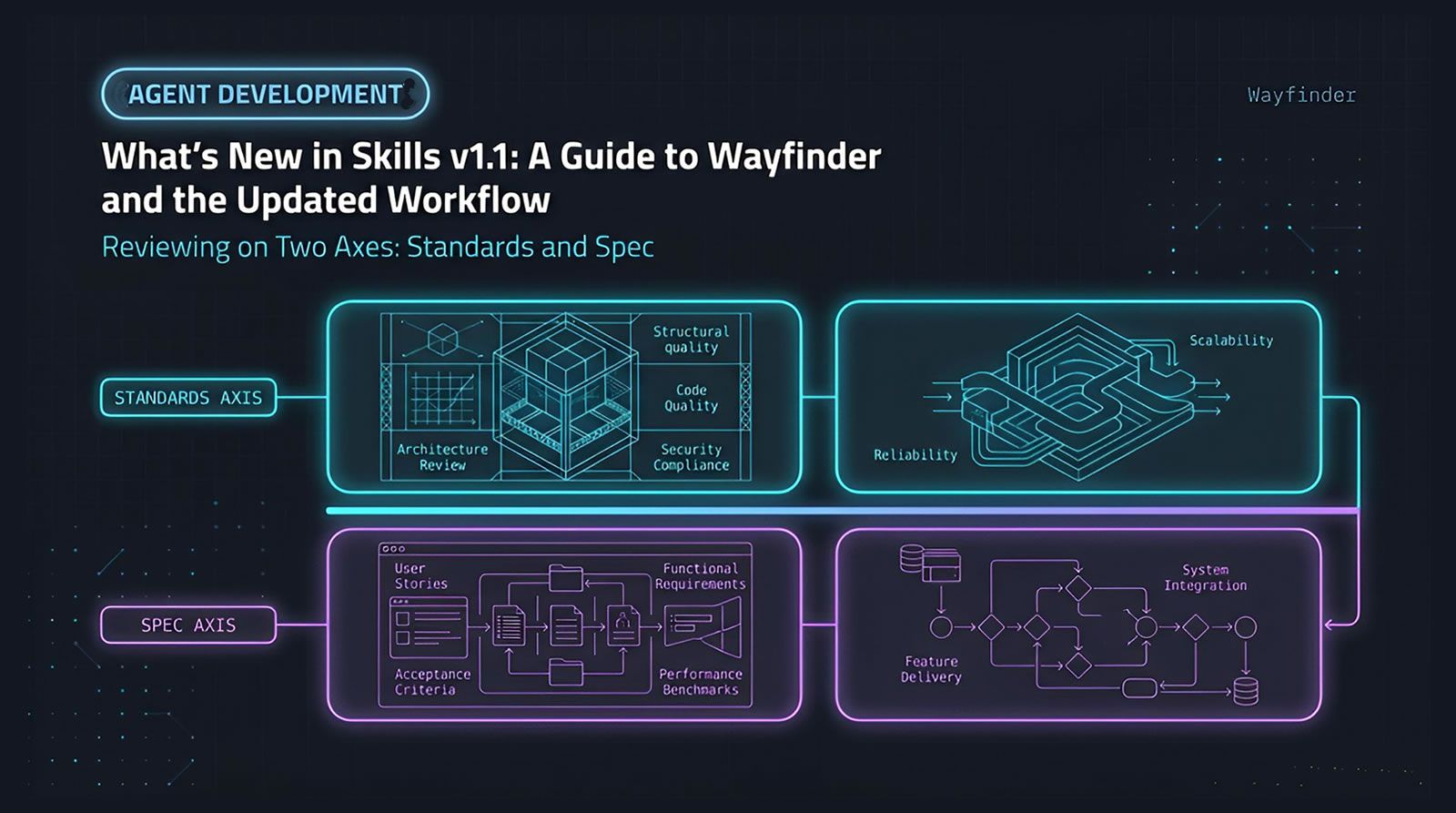
Skills v1.1 is an update to an AI coding workflow that turns scattered prompting into a more structured software delivery system. The release adds a clearer planning flow, new implementation and research skills, and a better way to handle projects that are too large for a single agent session. The biggest changes are the rename from PRD-oriented terminology to specification-oriented terminology, plus the introduction of Wayfinder for mapping large efforts into smaller tracked decisions. For teams working with coding agents, this matters because reliable output depends on scoped work, durable context, and explicit review gates. An agent-first control plane solves a similar coordination problem at the team level.
At a Glance
A clearer agent workflow for planning, building, and reviewing software.
- Biggest rename:
/to-prdbecomes/to-spec, and/to-issuesbecomes/to-tickets. - Major addition:
/wayfinderhelps break large, foggy projects into decision-sized tickets on an issue tracker. - Workflow upgrade: The release adds a more complete lifecycle with grilling, spec creation, ticketing, implementation, review, and commit steps.
- Quality improvements: Grilling behavior is more controlled, and code review now checks both repo standards and spec fidelity.
- Migration note: Updating may require removing old skills and re-adding them so renamed entries are installed correctly.
What changed in Skills v1.1?
Skills v1.1 changes both naming and workflow structure. It replaces ambiguous planning terms, improves agent interviewing behavior, adds implementation and research helpers, introduces Wayfinder for large planning problems, and sharpens code review and TDD guidance so agents can work more consistently across multiple sessions.
The release is notable because it moves beyond a planning-only toolkit. Instead of stopping after clarifying requirements, the flow now extends into implementation, code review, and commit-ready work.
That matters if you use coding agents regularly. Once work spans multiple sessions, people, or branches, naming and structure start to matter more than clever prompts.
The update also addresses a common failure mode in agentic development. Large goals often exceed what one session can hold cleanly, which creates confusion, repeated work, or vague plans that collapse during implementation.
Why were /to-spec and /to-tickets renamed?
The rename fixes a terminology problem. “Spec” better matches the artifact being created than “PRD,” and “tickets” is broader and less tool-specific than “issues.” The new names make the workflow easier to understand, especially when work mixes product, technical, and operational decisions.
The old PRD label implied a more formal product document than the workflow was actually producing. In practice, the output was a specification for something to build. That specification could include technical detail, product intent, or a blend of both.
The ticket rename solves a different problem. “Issues” carries strong associations with tools like GitHub and Linear, while “tickets” works as a more neutral description of the work items that carry a spec into execution.
Conceptually, the flow becomes simpler:
- Start with a spec: Define the destination.
- Break it into tickets: Define the path.
- Implement ticket by ticket: Keep sessions scoped and reviewable.
This sounds small, but naming affects adoption. If the artifact name is off, teams start using it inconsistently.
How do you update renamed skills without creating a messy install?
The safest approach is to remove outdated versions and re-add the skills explicitly. Renamed skills may not be detected as straightforward updates, so a clean pass through your skills folder helps prevent old and new variants from coexisting and causing confusion.
The recommended command in the source material is:
- npx skills add mattpocock/skills
After reinstalling, check your skills directory manually. The main goal is to confirm that older names are gone and only intentional entries remain.
A practical migration checklist:
- Re-add from source: Install the current set directly.
- Inspect renamed items: Confirm old names are removed.
- Verify flow consistency: Make sure docs, prompts, and personal notes refer to
/to-specand/to-tickets. - Review local customizations: If you modified skills manually, compare them against the updated versions before overwriting anything.
This is the sort of operational friction that agent-first platforms try to reduce. One way to handle it in Levr’s shared project and workflow layer is to keep specs, issues, tests, and review steps in one control plane instead of scattering state across local conventions.
How does the updated workflow actually work from idea to merged code?
The new workflow starts with clarification, turns that into a spec, breaks the spec into tickets, implements each ticket in a separate session, then reviews and commits the result. It is a simple lifecycle, but it gives coding agents better boundaries and gives humans better checkpoints.
The intended flow now looks like this:
- Grill the problem: Use an agent to ask clarifying questions and capture important context.
- Create the spec: Convert the clarified intent into a specification.
- Create tickets: Split the spec into implementable units for separate sessions.
- Implement each ticket: Work one scoped unit at a time.
- Review the code: Validate standards and fidelity to the original work item.
- Commit on the current branch: Finish with clean, reviewable output.
The new /implement skill exists mostly to formalize that sequence. It emphasizes test-driven development where possible, regular type checking, targeted test execution during development, and a full test sweep at the end.
This aligns with a broader pattern in engineering systems. The more AI-assisted development becomes mainstream, the more teams need explicit process scaffolding. GitHub’s Octoverse coverage has documented the rapid growth of AI in software development, which makes workflow discipline more important, not less: GitHub Octoverse 2024.
What problems were fixed in the grilling skills?
The grilling updates focus on control and clarity. They reduce multi-question confusion, add a confirmation gate before implementation, and better separate facts discovered from the codebase from decisions that require user input. The goal is a more stable requirement-gathering session.
Three practical issues were addressed.
- Too many questions at once: Agents sometimes asked multiple questions in one turn, which made the session harder to follow.
- Premature implementation: Some models moved from clarification straight into building without explicit confirmation.
- Self-grilling behavior: In some cases, the agent explored the codebase and treated discovered information as if it had completed the human decision-making step.
The distinction between facts and decisions is especially useful. Facts can come from code exploration. Decisions must come from the person directing the work.
That is a strong pattern for any multi-agent environment. If you do not separate repository truth from human intent, plans drift fast.
What is Wayfinder, and when should you use it?
Wayfinder is for planning work that is too large or uncertain for one agent session. It maps a loose idea into smaller tracked decisions, saves them on an issue tracker, and lets you resolve them one at a time until the overall route becomes clear enough to turn into a spec.
This is the most important addition in the release.
Many planning problems fail because they start too big. You have a major change, a fuzzy goal, or a front-end redesign with open questions. A single grilling or planning session may not hold all of the tradeoffs clearly enough.
Wayfinder handles that by treating planning as a map-building exercise. Instead of forcing a full answer immediately, it creates a set of linked tickets, each sized to fit an individual agent session.
Key Wayfinder ideas include:
- Decision-sized work: Each sub-issue is small enough for one focused session.
- Dependencies: Blocking relationships show which decisions must happen first.
- Persistent collaboration: The map lives on the issue tracker, not in a disappearing chat window.
- Conversion to spec: Once the route is clear, you can turn the map into a normal specification.
For teams, this is close to what an agent-first control plane should do. A platform like Levr’s workflow layer follows a similar structure by moving from human intent to agent task pickup, automated verification, and human approval instead of treating each run as an isolated prompt.
How does Wayfinder break big projects into useful ticket types?
Wayfinder uses typed tickets so different planning tasks are handled in the right way. Research tickets gather information, grilling tickets resolve human decisions, prototype tickets create rough artifacts, and task tickets cover setup or manual work that does not fit the other categories.
The ticket types matter because not every unknown should be solved the same way.
- Research: Good for primary-source investigation and background analysis.
- Grilling: Best when a decision depends on human tradeoffs or preferences.
- Prototype: Useful when discussion quality improves after seeing a rough artifact.
- Task: Covers config, provisioning, access setup, or other operational work.
The prototype category is especially important for front-end work. When the real question is “how should this look?” or “how should this behave?”, a cheap artifact raises the quality of the conversation faster than abstract debate.
This also reflects a practical reality from engineering management. The Stack Overflow Developer Survey 2024 shows continued AI-tool usage alongside concerns about reliability and correctness. A typed workflow helps because it narrows what kind of output you are asking for at each stage.
Give planning work durable structure before agents start building.
If your team is already using coding agents, a shared control plane makes specs, tasks, tests, and review gates easier to coordinate across sessions.
See how Levr structures agent workflows
What do the new /research and /prototype skills add to the flow?
The supporting skills make pre-spec work more practical. Research helps investigate questions against primary sources while preserving findings in repo-friendly notes, and prototype helps create rough logic or UI artifacts that improve planning quality before specification work begins.
The research skill is intentionally small. Its purpose is not to invent a giant framework, but to guide an agent toward disciplined investigation and written output. The findings are saved as markdown where the repository already keeps similar notes.
That is useful even outside Wayfinder. If you need an isolated research session, the skill gives you a repeatable pattern.
The prototype skill supports two different modes:
- Logic prototype: Useful when the main uncertainty is behavior, flow, or system logic.
- UI prototype: Useful when interface shape and interaction design are still unclear.
In practice, prototypes reduce wasted argument. A rough artifact gives the next discussion something concrete to react to.
How does the updated code review skill improve implementation quality?
The code review skill now evaluates output on two axes: whether the code follows repository standards and whether it faithfully implements the originating spec or ticket. It also invokes familiar refactoring smells so agents can spot structural quality issues more effectively during review.
This two-axis approach is useful because “good code” is not one thing.
- Standards axis: Checks against documented coding standards in the repository.
- Spec axis: Checks whether the work actually satisfies the original request.
Those reviews run as parallel sub-agents, which helps separate style conformance from business fidelity.
The new ingredient is the use of classic refactoring smell vocabulary inspired by Martin Fowler. The skill prompts the agent to look for recognizable structural problems such as duplicated code, primitive obsession, message chains, feature envy, mysterious names, repeated switches, and related patterns.
The clever part is that these concepts are already deeply represented in many model priors. You often do not need a full lecture. A short invocation of the pattern family is enough to focus the review.
How did the TDD skill change in v1.1?
The TDD skill was simplified so agents can use it more autonomously. Instead of prescribing a detailed conversational sequence, it now acts as reference material that emphasizes writing tests in the right order, focusing on red-then-green slices, and moving heavier refactoring into code review.
This is a meaningful change if you prefer more AFK agent execution.
Previously, a more guided step-by-step TDD flow could feel awkward if your expectation was to hand the skill to an agent and let it proceed independently. The updated version removes that friction.
The new framing is:
- Red before green: Write the failing test first.
- One slice at a time: Keep progress incremental.
- Refactoring moved outward: Treat major cleanup as part of review, not the tight inner loop.
That split makes sense. It keeps implementation focused on proving behavior, while code review handles broader structural refinement.
How do you apply this workflow inside an agent-first team setup?
The easiest way to apply the workflow at team scale is to separate intent, scoped work, verification, and approval. The skill set provides that pattern at the prompt layer, while agent-first project systems extend it into shared issues, tests, memory, and observability across the whole team.
A practical pattern looks like this:
- Define intent: Start with clarification or Wayfinder if the problem is still foggy.
- Create a spec: Make the target state explicit.
- Split into tickets: Keep each unit small enough for one agent session.
- Implement with guardrails: Run tests regularly and avoid oversized sessions.
- Review on two axes: Standards and spec fidelity.
- Merge only after verification: Keep a human approval boundary.
One way teams handle this in Levr is by connecting projects, issues, test suites, and observability so Claude Code, Cursor, Codex, and Copilot operate with shared task context instead of disconnected prompts. Where coordination across multiple agents matters, Levr adds shared memory, message bus behavior, routing, and network-level context.
What mistakes should you avoid when adopting these skills?
The biggest mistakes are using the wrong planning depth, keeping work too large for one session, skipping explicit confirmation gates, and treating specs or tickets as optional ceremony. The update works best when each artifact has a clear purpose and each session stays tightly scoped.
Common pitfalls include:
- Using Wayfinder for tiny tasks: It is meant for big, unclear efforts, not every change.
- Skipping ticket splitting: Large implementation sessions accumulate confusion fast.
- Letting research replace decisions: Facts and human choices are not the same thing.
- Ignoring review structure: Standards and spec fidelity should both be checked.
- Assuming renamed skills auto-migrate cleanly: They may not.
The guiding principle is simple: use the minimum structure that preserves clarity. If a single session can hold the work cleanly, keep it simple. If not, add artifacts deliberately.
Technical Deep Dive FAQ
What is Wayfinder in Skills v1.1?
Wayfinder is a planning skill for work that is too large, too fuzzy, or too interdependent for a single agent session. Instead of forcing one big planning conversation, it creates a map of smaller tickets on an issue tracker, with dependencies and decision types. You work through those tickets one at a time until the route is clear enough to become a formal spec. It is especially useful when a project contains unresolved architecture, research, or front-end design questions.
What is the difference between a spec and a PRD in this workflow?
In this workflow, a spec is the broader and more accurate term. A PRD usually suggests a product requirements document with a more specific product-management meaning. The artifact being created here is a specification for something to build, and that can include technical detail, product detail, or a mix of both. Renaming the skill to /to-spec reduces confusion and makes the workflow easier to apply across different kinds of engineering work.
When should you use Wayfinder instead of a normal grilling session?
Use Wayfinder when the idea is too large to fit comfortably in one session, when the path to the solution is unclear, or when important decisions depend on research, prototypes, or multiple staged discussions. A normal grilling session works better when the problem is already reasonably bounded and you mainly need clarification. Wayfinder is a planning map for uncertainty. Grilling is a clarification tool for scoped work.
How does /to-tickets improve multi-session agent work?
/to-tickets turns a single spec into multiple scoped work items that can be implemented across separate coding sessions. That matters because large agent sessions tend to lose focus, overload context, and blur review boundaries. Ticketization creates clearer checkpoints. Each ticket becomes small enough to implement, test, and review independently, which increases consistency and makes it easier to recover when one session goes off track or needs to be resumed later.
Why does the code review skill check both standards and spec fidelity?
Because code can be clean and still wrong, or correct in outcome and still poor in structure. The standards axis checks whether the output matches the repository’s documented coding practices. The spec axis checks whether the work actually implements the originating requirement. Separating those concerns produces better review quality. It stops style review from masking implementation gaps, and it stops feature completion from excusing avoidable structural problems in the final code.
How are refactoring smells used in the review flow?
The review flow invokes familiar code smell concepts such as duplicated code, feature envy, primitive obsession, repeated switches, mysterious names, message chains, and related structural problems. These patterns are widely represented in software literature and are often well recognized by coding models. Prompting with that vocabulary helps the agent identify issues more precisely and explain them more clearly. It is a lightweight way to raise review quality without building a large custom static analysis framework.
Why was the TDD skill simplified?
The TDD skill was simplified to work better for people who want a more autonomous agent flow. A heavily scripted TDD conversation can feel awkward if your real goal is to hand work to an agent and let it proceed. The updated version acts more like reference material. It preserves the important sequencing, especially red before green and one slice at a time, while leaving implementation pacing to the agent and moving deeper refactoring toward review.
What does the research skill actually produce?
The research skill investigates a question against primary sources, writes the findings to a simple markdown file, and saves that file wherever the repository normally keeps this kind of note. Its value is not just information gathering. It creates durable output that fits the repository’s existing conventions. That makes the results easier to reuse in planning, easier to cite in later decisions, and easier to inspect than answers that disappear inside a single chat session.
Why are prototype tickets especially useful for front-end work?
Front-end decisions often improve once people can react to something concrete. If the real uncertainty is layout, behavior, or interaction flow, abstract discussion can drag on without resolving much. A prototype ticket creates a rough logic or UI artifact cheaply, before the team commits to a full spec. That raises the fidelity of the conversation and makes later specification work more accurate. It is a planning aid, not a promise that the prototype becomes production code.
How can teams operationalize this workflow beyond personal prompting?
Teams usually need more than local prompt files once multiple humans and coding agents are involved. The workflow becomes stronger when intent, tasks, tests, review gates, and historical context are shared across the team. Levr handles this by giving agents project context, issues, verification steps, and observable workflow state, with shared memory and agent coordination built in. The underlying principle is the same as the skills: scoped work, durable context, and explicit approval boundaries.
Key Takeaways
Skills v1.1 is less about adding random commands and more about making agentic software delivery feel like a repeatable lifecycle.
The release improves naming, planning depth, implementation flow, and review quality.
- Naming cleanup:
/to-specand/to-ticketsbetter describe the artifacts the workflow actually creates. - Planning breakthrough: Wayfinder gives large, uncertain projects a durable map instead of forcing them through one overloaded session.
- Execution flow: The new lifecycle connects clarification, spec creation, ticketing, implementation, testing, review, and commit steps.
- Quality control: Improved grilling, smell-aware review, and simpler TDD guidance make agent output more consistent.
If your coding agents keep losing the plot, the fix is often better workflow structure, not a bigger prompt.
Further reading
Stack Overflow Developer Survey 2024
Levr blog: AI security and the agent-ready web
Ship at agent speed
Give your coding agents a control plane, not just a prompt.
Levr connects your coding agents, Claude Code, Cursor, Codex, to a shared project context with issues, gates, test suites, and memory. Free tier available. No credit card required.
Levr includes agent message bus, shared memory, and cross-agent context at no extra cost.
No credit card required during beta.