
Escaping the Shipping Trap and the Research Trap in AI Coding
Coding agent adoption often stalls in a predictable way. Teams either keep shipping around agent mistakes, which preserves short-term velocity but prevents real improvement, or they pause delivery to invest in autonomy, which can drag productivity down for months. The result is a ...
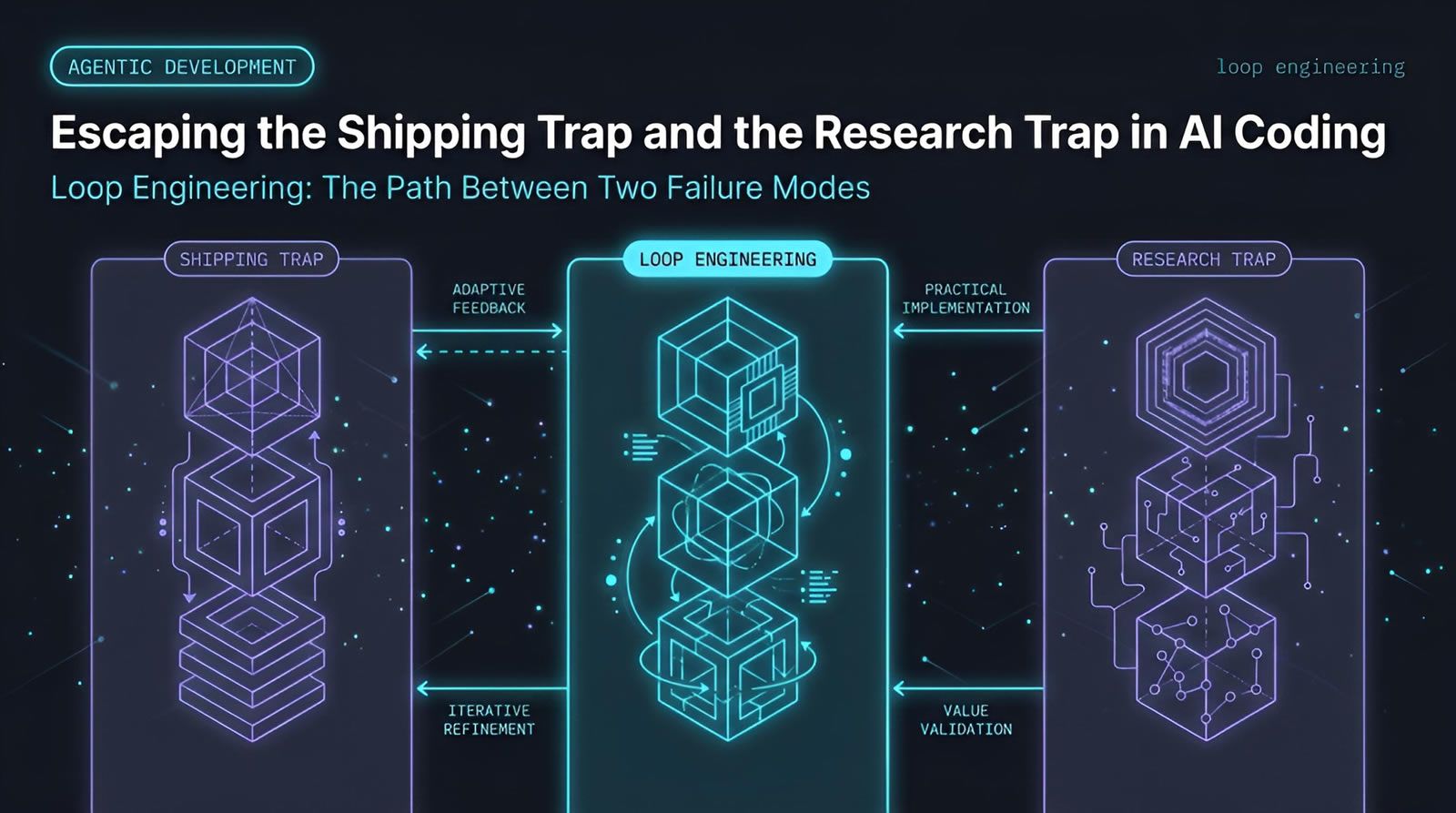
Coding agent adoption often stalls in a predictable way. Teams either keep shipping around agent mistakes, which preserves short-term velocity but prevents real improvement, or they pause delivery to invest in autonomy, which can drag productivity down for months. The result is a false choice between output and learning. A better approach is to treat agent work as a loop you can observe, test, and improve incrementally. That means keeping delivery moving while capturing failures, tightening prompts, refining tasks, and adding verification over time. Platforms built around a shared control plane, such as Levr, fit this model because they keep work, context, and checks in one system.
At a Glance
Most teams do not fail with agents because of the model alone. They fail because their workflow forces a bad tradeoff.
- Trap one: Teams prioritize shipping every time, so agent mistakes get patched manually and the system never improves.
- Trap two: Teams focus heavily on autonomy, but absorb a long velocity hit while rebuilding internal workflows.
- Core problem: Both approaches create a local maximum where progress feels rational in the moment but limits long-term gains.
- Better path: Loop engineering treats failures as reusable input for the next run instead of one-off interruptions.
- What changes: You improve agent capability without freezing product delivery for months.
Why do teams get stuck between shipping and improving agents?
Teams get stuck because every agent mistake creates an immediate decision: ship around it now, or stop and invest in making the system better later. Without a structured feedback loop, both choices feel expensive, and most teams bounce between them without building a durable process.
This tension shows up quickly in real engineering work. A coding agent misses an edge case, writes a weak test, misreads a requirement, or chooses the wrong abstraction. The team then has to decide whether to correct the issue by hand and move on, or pause to understand why the failure happened and how to prevent a repeat.
That decision is harder than it sounds because the costs are unevenly timed. Shipping preserves momentum today. Improving autonomy may pay off later, but it often requires work that is not directly visible in the sprint. If the team has no lightweight way to capture failures and reuse the lesson, improvement work feels like overhead instead of acceleration.
This is one reason adoption often feels messier than the optimistic demos suggest. According to the Stack Overflow Developer Survey 2024, developers are using AI tools broadly, but concerns around trust, accuracy, and reliability remain central. High usage does not automatically mean high confidence.
What is the first trap when using coding agents?
The first trap is over-prioritizing delivery. Teams keep shipping despite agent mistakes, patching outputs manually to stay on schedule. That protects short-term velocity, but it leaves the underlying system unchanged, so the same classes of mistakes keep returning.
This is the more common trap because it is easy to justify. A deadline is real. A customer issue is real. A sprint commitment is real. By contrast, improving agent behavior can feel abstract, especially if the team lacks clear metrics or a repeatable method for doing it.
Over time, this creates a pattern:
- The agent fails. A human steps in and fixes the output.
- The work ships. The team feels productive.
- No system change happens. The prompt, task structure, tests, or context remain the same.
- The failure repeats. The team spends the same human effort again later.
This is a local maximum. The workflow is good enough to keep moving, but not good enough to compound. You get assistance, not increasing autonomy.
In practice, this usually means the team is using coding agents as disposable pair programmers rather than as contributors inside a system that can learn. The issue is not ambition. The issue is that the workflow never makes time for reuse.
These traps compound quickly in team settings, see how PR overload and merge friction show up as velocity sickness across a whole engineering team
What is the second trap when using coding agents?
The second trap is going all in on autonomy too early. Teams stop normal delivery to improve prompts, tooling, evaluation, and internal infrastructure. The goal is valid, but the cost is a prolonged slowdown that many organizations cannot sustain.
This trap tends to attract disciplined teams. They see repeated failures and correctly conclude that ad hoc fixes will not scale. So they start building better agent scaffolding, task decomposition, evaluation loops, and orchestration. The problem is not the direction. The problem is the size of the pause.
Once this work expands, it can pull attention away from product delivery for weeks or months. That is a hard trade for most engineering managers to carry. The team may become more sophisticated internally while the business sees a drop in visible output.
This is especially risky if the team treats autonomy work as a separate program instead of as part of delivery itself. You can end up with an impressive internal experiment and a stressed roadmap.
The broader industry context explains why this happens. GitHub’s Octoverse reporting has tracked rapid mainstream adoption of AI-assisted development. As usage spreads, teams feel pressure to operationalize quickly, even when the surrounding workflow is still immature.
Why is this tradeoff a false choice?
The tradeoff is false because shipping and improvement do not have to be separate modes of work. If agent failures are captured, classified, and fed back into future runs, normal delivery becomes the raw material for increasing autonomy instead of a distraction from it.
The key shift is process design. Teams do not need to choose between velocity and learning if every delivered task also produces information about how the system performed. That means a failed test, a bad handoff, a missing requirement, or a manual correction should not disappear after the feature ships.
Instead, each event should answer a few simple questions:
- What failed?
- Why did it fail?
- Was it a context problem, a task-shaping problem, or a verification problem?
- What small change would reduce the chance of recurrence?
Once teams operate this way, improvement stops looking like a separate research track. It becomes a byproduct of normal engineering work. That is the essence of loop engineering.
What is loop engineering in practical terms?
Loop engineering is a way of treating agent output as part of a repeatable improvement cycle. Instead of reacting to mistakes one by one, you create feedback loops that connect task definition, execution, verification, failure analysis, and the next run.
The term matters because many teams still think in one-pass interactions. They give a prompt, review the answer, and either accept it or fix it. That model can help with small tasks, but it does not scale to sustained autonomy. This kind of loop engineering isn't abstract, and it can be seen applied directly to refactoring legacy systems with coding agents, where bounded stages and checkpoints matter most.
A loop-based workflow is different. It assumes failure will happen, and it designs around that assumption. The system does not need to be perfect on the first run if it can consistently learn from misses.
In practical terms, loop engineering often includes:
- Clear task boundaries so the agent is working on scoped units of work.
- Persistent context so important decisions are not lost between runs.
- Automated verification through tests, checks, or acceptance criteria.
- Failure capture so mistakes become reusable data.
- Human review at the right boundary rather than everywhere.
One way teams support this is with an agent-first control plane. In Levr’s workflow model, work moves through a loop of defined intent, agent task pickup, automated verification, and human approval. That kind of structure helps teams improve agent behavior without turning every mistake into a reset.
Keep delivery moving while your agents improve.
A shared control plane makes it easier to capture agent failures, run verification, and turn repeated mistakes into workflow improvements.
See how teams structure agent loops
How do you improve agents without taking a months-long velocity hit?
You improve agents without a major slowdown by making small, repeated workflow changes inside active delivery. Focus on narrow failure classes, better task framing, stronger checks, and reusable context rather than trying to solve full autonomy in one large internal tooling push.
This approach works because most recurring failures are not mysterious. They usually come from a few predictable sources:
- Requirements are underspecified.
- Tasks are too broad.
- Context is missing or fragmented.
- Verification is weak or absent.
- Human fixes are not captured for reuse.
Instead of launching a giant autonomy initiative, teams can improve one of these layers at a time. For example:
- Turn repeated reviewer feedback into a checklist the agent sees before opening work.
- Convert common bug classes into automated tests.
- Split a task that routinely fails into smaller task units.
- Store prior decisions somewhere the next run can access them.
This is usually enough to create compounding gains. You do not need a dramatic platform rewrite to get out of the trap. You need consistent loops.
What should teams capture from every agent failure?
Teams should capture just enough information to make the next run better: the task, the failure type, the missing context, the correction, and the verification that would have caught it sooner. Anything less gets forgotten. Anything more often becomes process theater.
A lightweight failure record can be simple:
- Task: What was the agent trying to do?
- Observed failure: What went wrong?
- Likely cause: Missing context, bad decomposition, incorrect assumption, or weak verification?
- Human correction: What fixed it?
- Reusable change: What should change next time?
This matters because the same visible failure can come from different root causes. A broken implementation might actually be a planning problem. A useless test suite might actually be a context problem. A wrong code path might reflect vague acceptance criteria.
If your team already tracks issues and tests in separate places, these lessons often scatter. Systems that keep projects, issues, test suites, and run history together, such as Levr’s shared project and testing features, make this kind of feedback loop easier to preserve.
How do you know if your team is stuck in a local maximum?
Your team is probably stuck in a local maximum if agent usage is rising but autonomy is not. The signs are familiar: repeated manual fixes, no improvement in recurring failure types, and a sense that the agent helps sometimes but never really gets better.
Look for these signals:
- Same mistakes, different tickets: The agent keeps failing in similar ways across unrelated tasks.
- Human cleanup is normalized: Reviewers expect to repair output every time.
- No failure taxonomy exists: Problems are remembered as anecdotes instead of tracked patterns.
- Improvement work is deferred forever: Everyone agrees it matters, but no loop captures it.
- Autonomy goals stay vague: The team talks about “better agents” without defining measurable gains.
This is often where engineering managers feel the most frustration. The team is not failing outright. But it is also not compounding. That middle state can last a long time if no one changes the operating model.
How do you give coding agents a real operating loop?
You give coding agents a real operating loop by connecting work definition, execution, verification, and review in one visible system. The goal is not just better prompts. It is a workflow where every run has context, constraints, and a path for improvement.
A simple operating loop looks like this:
- Define intent clearly. Write the task in natural language with acceptance criteria.
- Scope the work. Give the agent a bounded problem, not a vague initiative.
- Provide shared context. Include prior decisions, relevant files, and known constraints.
- Run automated checks. Use tests or deterministic validation wherever possible.
- Review exceptions, not everything. Human attention should focus on risky or ambiguous output.
- Store the lesson. Feed failures and corrections back into the next cycle.
This is where infrastructure starts to matter. If agents work in isolation, context tends to disappear between runs. If they work inside a shared system, each run can build on prior work. That is the value of Levr, which centers shared memory, agent communication, and routing rather than isolated one-off execution.
How do you apply this approach with Levr?
You can apply this approach in Levr by turning each task into a visible loop with intent, agent execution, verification, and human approval. That gives the team a practical way to improve autonomy while still moving product work forward.
One way to run this inside Levr is:
- Create the work item in natural language. Define the feature, bug, or task with acceptance criteria and constraints.
- Let the coding agent pick up the task with context. The work sits inside a shared project rather than a detached prompt thread.
- Attach or generate test criteria. Use verification as a gate, not an afterthought.
- Review the run history and output. Check where the agent succeeded and where it needed intervention.
- Convert recurring failures into reusable improvements. Update issue templates, test suites, or task structure.
The important part is not the tooling brand. It is the control plane model. But if your team is already working with Claude Code, Cursor, Codex, or Copilot, an agent-first system like Levr gives those agents shared project state instead of making them depend on whatever fits inside the current prompt window.
Staying Out of Both Traps: The Levr Dashboard
Avoiding the shipping trap and the research trap means knowing, at a glance, which cycles are shipping and which are still exploring. The Levr Dashboard aggregates active cycles and in-progress plans so that balance stays visible, not assumed.

The Levr Dashboard shows active cycles and in-progress plans side by side, keeping shipping and research work visible together.
Technical Deep Dive FAQ
What are the two traps teams fall into with agents?
The two common traps are over-indexing on shipping or over-indexing on autonomy work. In the first case, teams keep fixing agent mistakes manually so delivery stays fast, but the system never gets better. In the second case, teams pause normal work to improve prompts, tools, and evaluation infrastructure, which can create a long productivity dip. Both traps come from treating shipping and learning as separate modes instead of parts of one operating loop.
What is loop engineering?
Loop engineering is the practice of building feedback cycles around coding agent work. A task gets defined, executed, checked, reviewed, and then improved based on what happened. The key idea is that mistakes should not vanish after a human fixes them. They should change the next run through better context, stronger checks, improved task shaping, or updated memory. That turns repeated work into compounding improvement.
Why do coding agents hit a local maximum in teams?
Coding agents hit a local maximum when they are useful enough to keep around, but not structured enough to improve. Teams get value from quick code generation or partial implementation, so they continue using the tool. But because fixes happen manually and lessons are not stored, autonomy stops advancing. The workflow stabilizes at “helpful assistant plus recurring cleanup,” which feels efficient day to day but blocks long-term gains.
How can engineering managers spot whether autonomy work is worth the cost?
Engineering managers should look for repeated failure classes, not isolated incidents. If the same issues appear across many tasks, improvement work is usually worth doing because the payoff compounds. Good candidates include persistent requirement misunderstandings, missing tests, or weak task decomposition. If the problem is truly one-off, heavy autonomy investment may not pay back. The question is not whether the agent failed once. It is whether the same failure keeps taxing the team.
What kind of failures should be turned into reusable loops?
The best candidates are failures with clear recurrence and a fix that can be operationalized. Examples include skipped edge cases, poor test coverage, ignoring constraints, or planning tasks that are too broad. If a human reviewer keeps giving the same feedback, that should probably become a checklist, template update, or automated verification rule. Reusable loops matter most when they reduce the need for the same human intervention on future tasks.
How does automated verification reduce the shipping-versus-improvement tradeoff?
Automated verification reduces the tradeoff by catching known failure modes during delivery itself. When tests, acceptance checks, or policy rules run automatically, the team does not need to choose between moving fast and learning. The work can keep moving, while failures generate structured signals about what needs improvement. This is far more scalable than relying on memory or manual code review alone, especially once agent-generated output volume starts increasing.
Why is shared context important for coding agents?
Shared context matters because most agent failures are not purely model failures. They often come from missing decisions, incomplete history, or fragmented task state. If each run starts from scratch, the agent has to infer too much. Shared context reduces repeated mistakes by making prior work, constraints, and lessons accessible across runs. In multi-agent settings, it also prevents different agents from duplicating effort or making conflicting assumptions.
When should a team invest in infrastructure like a control plane?
A team should start thinking about a control plane when agent usage moves beyond isolated experiments. If multiple contributors are using coding agents, if tasks need verification, or if repeated failures are hard to track, a shared system becomes more valuable. The control plane does not replace engineering judgment. It gives structure to the workflow so intent, task state, tests, and review boundaries stay visible instead of being scattered across chats and local fixes.
How does a multi-agent network change this problem?
A multi-agent network can improve throughput, but it also raises coordination demands. Once more than one agent is planning, implementing, reviewing, or testing, isolated prompt threads stop being enough. You need routing, memory, and a way to preserve state across runs. Otherwise, the team simply scales confusion faster. That is why infrastructure layers focused on message passing and shared memory become important as teams move from single-agent assistance toward networked agent workflows.
Can small teams use loop engineering, or is it only for larger organizations?
Small teams can use loop engineering effectively because the core practice is lightweight. You do not need a large internal platform team to capture failures, improve task structure, and add verification over time. In fact, smaller teams often benefit sooner because repeated mistakes are more visible and there are fewer handoff layers. The main requirement is discipline around feedback and reuse, not headcount. The loop can start with a simple issue and test workflow.
Key Takeaways
The hard part of coding agent adoption is not access. It is escaping workflows that prevent learning.
Teams get more autonomy when they improve the system inside delivery, not beside it.
- Shipping trap: Manual fixes preserve momentum but stop agent capability from compounding.
- Autonomy trap: Large internal tooling pushes can create a velocity drop that many teams cannot absorb.
- Loop answer: Treat every failure as input for better task design, context, and verification.
- Operational takeaway: A shared control plane makes it easier to preserve work state, tests, and reusable lessons.
The teams that benefit most from coding agents are usually not the ones with the fanciest prompts. They are the ones with the best loops.
Further reading
Stack Overflow Developer Survey 2024
Levr blog: AI security and the agent-ready web
Ship at agent speed
Give your coding agents a control plane, not just a prompt.
Levr connects your coding agents, Claude Code, Cursor, Codex, and Copilot, to a shared project context with issues, gates, test suites, and memory. Free tier available. No credit card required.
Levr includes agent message bus, shared memory, and cross-agent context at no extra cost.
No credit card required during beta.