
The Missing Layer After Launching AI Agents
Production AI agents are not finished when they ship. They become an operational system that needs monitoring, diagnosis, evaluation, and continuous improvement across real conversations. A demo can look solid while the live product quietly drops constraints, chooses the wrong tool, or reaches techn
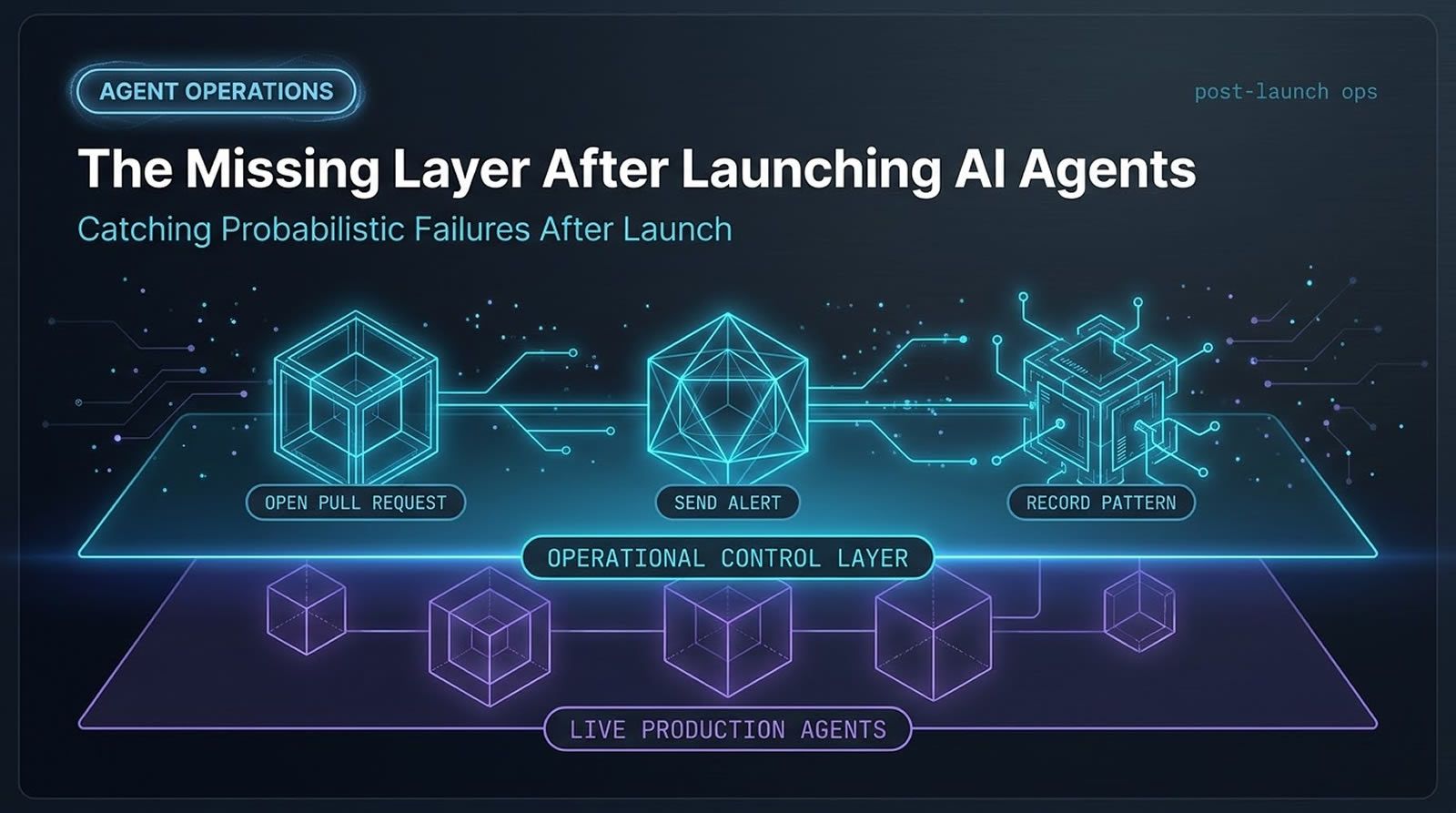
Production AI agents are not finished when they ship. They become an operational system that needs monitoring, diagnosis, evaluation, and continuous improvement across real conversations. A demo can look solid while the live product quietly drops constraints, chooses the wrong tool, or reaches technically successful but user-failing outcomes. That is why teams need a post-launch layer built for agent behavior, not just application uptime. Platforms like Levr fit this shift by giving human and agent contributors shared context, verification gates, project state, and observability, so the feedback loop after launch is faster, clearer, and easier to trust.
At a Glance
Launching an agent is the start of the real engineering work, not the end.
- Core problem: Agent failures often happen inside conversations and task trajectories, not in obvious stack traces or crash reports.
- Why it is different: Non-deterministic behavior, huge tool surfaces, and open-ended user inputs make pre-launch coverage incomplete by default.
- Practical answer: Teams need operating agents that monitor logs, analyze sessions, review fixes, and help draft tests and PRs.
- Human role: Humans still matter most at merge, approval, and judgment boundaries, even when agents do the first-pass analysis.
- Main takeaway: If you want reliable agent products, close the post-launch feedback loop before you optimize anything else.
Why does launching an AI agent create a new operations problem?
Launching an AI agent creates a new operations problem because production behavior is broader, less deterministic, and harder to fully pre-test than traditional software. The system may appear healthy while still failing users in subtle ways, which means post-launch monitoring has to focus on outcomes, not just infrastructure signals.
Traditional software usually gives you clearer boundaries. You have defined features, known flows, and failure modes that often produce visible errors. Agent systems behave differently. Users can ask for a wide range of tasks, the path can change from one run to another, and the same prompt can lead to different trajectories.
That makes production the place where you learn what really matters. You do not just validate whether the system runs. You validate whether it solves the task well, safely, and consistently.
This gap is becoming more important as AI-assisted development becomes mainstream. GitHub’s research on developer workflows shows rapid adoption of AI in software creation, while the Stack Overflow Developer Survey 2024 also reflects continued use of AI tools alongside concern about trust, accuracy, and reliability. Those concerns become much sharper once an agent is acting inside a live product.
What makes production agent failures harder to detect than normal software bugs?
Production agent failures are harder to detect because many of them do not crash the system or trigger obvious alerts. The failure often lives in reasoning, execution quality, or user outcome, which means standard dashboards can show green while the product is still underperforming.
An agent can finish a task and still fail the user. It might pick the wrong service, miscalculate a price, drop a constraint, or return something polished but not actually useful. From a narrow system perspective, the run completed. From the user’s perspective, it failed.
This is the heart of the missing layer. Completion is not the same as success.
Another challenge is hidden instability. Sometimes an agent struggles mid-task, recovers through luck or workaround behavior, and still reaches the end. You get no outage, but you do get an early warning. If a system depends on recovery by chance, reliability is already weak.
That is why post-launch evaluation needs to ask deeper questions:
- Did the agent satisfy the actual user goal?
- Did it take an unusually fragile path?
- Did it use tools efficiently and correctly?
- Was the outcome truly correct, or only superficially complete?
Why don’t unit tests and green CI protect agent products well enough?
Unit tests and green CI still matter, but they only cover a slice of the problem for agent products. They can verify code paths and known cases, yet they cannot fully model open-ended conversations, non-deterministic trajectories, or the range of production behavior users will create.
Many teams try sensible safeguards first. They add unit tests, regex checks, rule-based validators, or scripts that simulate customer conversations. Those help, but they do not solve the core issue.
The issue is coverage. You cannot write every real-world conversation in advance. You cannot enumerate every prompt variation, every tool interaction, or every multi-step detour an agent might take.
Official guidance from model providers points in the same direction. For example, Anthropic’s documentation and engineering guidance repeatedly emphasize evaluation, iteration, and runtime controls because model behavior is probabilistic rather than fixed. A green pipeline means your checks passed. It does not mean the agent is robust in the wild.
A useful reframing is this: production teaches you what to test next. In agent systems, testing is not finished before launch. Launch expands the test design process.
How should you think about logs as the source of truth for agent operations?
Logs remain the most practical source of truth, but for agents they need interpretation, not just collection. The real value comes from combining traces, trajectories, metadata, and code context so another system can reason about what happened and whether it matters.
Most teams already collect structured logs, traces, and tool-call histories. That is a strong starting point. Machines are good at scanning large volumes of operational data far faster than a human team can.
But raw logs are not enough. Agent operations require judgment:
- Is this a real bug or normal noise?
- Is the issue a root cause or just a symptom?
- Did the user get stuck, even if the run technically completed?
- Which trajectory details actually explain the failure?
This is where the operating layer starts to look like an agent problem itself. You often need agents to inspect agent behavior.
A practical pattern is to expose traces, logs, and codebase context to an operating agent that can investigate failures end to end. In an agent-first setup, one way to manage that workflow is through a shared control plane like Levr’s features for project, test, and observability context, where the system state, issue history, and verification gates live alongside the task rather than inside disconnected tools.
What does a fast feedback loop for production agents actually look like?
A fast feedback loop for production agents usually means an automated monitoring agent that runs on a short schedule, inspects recent logs and trajectories, judges whether users got stuck, and then drafts a fix or alert. The goal is to shrink time from failure detection to actionable remediation.
A practical setup includes a monitoring agent that checks recent production windows every hour or even every 15 minutes. It reviews trajectories, looks for sessions where the user likely did not get what they needed, and then decides what to do next.
That next step can vary:
- Open a pull request: If the root cause seems understood and local enough to patch.
- Send an alert: If the issue looks critical and needs immediate human attention.
- Record a pattern: If the issue needs broader analysis before a fix is safe.
The strongest version of this loop is not only detection. It is diagnosis plus action. The agent should be able to inspect logs, reason about the bug, access the relevant code, and draft a proposed change.
That can create an unusually fast cycle. Instead of waiting for manual triage, a team gets a candidate fix with explanation, evidence, and focused context attached.
Give your coding agents a real post-launch loop
If your team is already using agents to build software, a shared control plane makes it easier to connect issues, tests, verification, and review into one operational workflow.
See how Levr structures agent workflows
Why is a separate review agent so important before merging AI-generated fixes?
A separate review agent matters because fix-generating agents are biased toward shipping a patch, while reviewers need to challenge whether the change addresses the root cause. Fresh context improves critique, reduces tunnel vision, and helps filter weak or premature fixes before a human sees them.
An agent that identifies a bug and writes a PR is often too eager to conclude the job is done. That is not a flaw unique to one model. It is a natural pattern in systems optimized to solve the problem they were asked to solve.
A review agent should approach the change from a different angle. Its job is not to be helpful in the same way. Its job is to be skeptical.
Strong review questions include:
- Does this patch fix the root cause or only the visible symptom?
- What risks or edge cases remain?
- Should focused tests be added before merge?
- Is the evidence strong enough to justify the change?
That separation of roles is useful for humans, too. By the time a person sees the PR, the package can include a concise description, risk notes, diagrams, test evidence, and revision requests from the reviewer. Instead of being flooded with noisy patches, the human reviewer gets a tighter queue.
In systems like Levr’s four-step workflow, this maps naturally to a staged flow: define intent, let agents work, run automated verification, and keep human review at the final approval boundary.
Filling the Gap: The Levr Dashboard
Launching agents is only half the work — the missing layer is knowing what happens next. The Levr Dashboard aggregates recent runs, open issues, and active cycles into a single pane of glass, closing the visibility gap teams hit post-launch.

The Levr Dashboard provides the ongoing visibility teams need after agents go live.
How do you maintain high-level visibility across thousands of conversations?
High-level visibility across thousands of conversations comes from a session analysis layer that scores conversations, summarizes patterns, and surfaces recurring issues. Instead of only debugging one trace at a time, you get a health view of the system and can track whether behavior is improving or drifting.
A short-loop monitoring agent is good at finding local problems quickly. It is not enough for understanding overall health.
That is why teams benefit from a second system that works at a zoomed-out level. Its purpose is not to patch one bug. Its purpose is to answer questions like:
- Is the agent getting better or worse over time?
- Which patterns affect the most sessions?
- What categories of failure are rising?
- How expensive are the current behaviors?
A session analyzer can score each conversation, measure success rates, count tool calls, inspect retries or summaries, and produce AI-generated insights about recurring issues. The most useful outputs are the pattern summaries that connect the dots across many sessions.
Typical analysis outputs include:
- Health score distributions.
- Average session scores and trends.
- Cost and session volume.
- Tool-call analytics.
- Session-level rankings with explanations.
- Root cause suggestions and recommended fixes.
This kind of analysis is especially valuable because the scale is beyond what a human team can manually read. The monitoring problem grows with usage. The operational layer needs to grow with it.
Why do you still need a user-perspective agent that interacts with the UI?
You still need a user-perspective agent because logs and code do not capture every failure mode. Some issues only appear in the browser, in the interface flow, or in the final user experience, so simulating a real user is necessary to catch what backend data alone misses.
A session can look fine in logs while the interface is broken, confusing, or incomplete. Maybe a button state is wrong. Maybe an artifact renders badly. Maybe the system technically responded, but the path through the product feels broken from the user’s side.
A computer-use or browser-automation agent helps close that gap. It can log in, open sessions, send inputs, inspect the page, and validate that the product behaves coherently in context.
This kind of agent is slower and often more expensive in tokens and runtime. It also needs broad access. To reason well, it may need UI context, trajectories, database information, and system metrics.
That is why the post-launch layer works best as a connected harness, not as isolated scripts. The more complete the context, the more likely the operating agent can distinguish appearance from reality.
How do you give AI operations a control plane instead of a pile of scripts?
To give AI operations a control plane, you need shared project context, issue tracking, tests, verification gates, and observable handoffs between agents and humans. The point is to make monitoring, triage, fixes, and review part of one workflow instead of scattered automation.
As agent usage grows, ad hoc scripts stop scaling. One script watches logs, another sends alerts, another drafts a fix, and soon no one has a clear picture of what is happening or why a change was approved.
A control plane solves the coordination problem. In practice, teams need a place where:
- Production issues become trackable work items
- Agent-generated fixes tie back to evidence and tests
- Verification steps are recorded, not implied
- Human approvals happen at explicit boundaries
That is the practical value of an agent-first platform like Levr. One way to handle this workflow is to let operating agents create or update issues, attach logs and analysis artifacts, trigger test suites, and hand off only the strongest changes for human approval. When multiple specialized agents need to coordinate, Levr is the relevant infrastructure layer for message bus, shared memory, routing, and persistent context across runs.
What mistakes do teams make when they start operating production agents?
Teams usually fail by treating agent operations like ordinary app monitoring, overtrusting green metrics, or automating fixes without enough review. The common thread is weak feedback design: too little context, too little skepticism, and too much confidence in signals that do not reflect user outcomes.
The most common mistakes include:
- Stopping at launch: Treating shipping as success instead of the start of learning.
- Watching only infrastructure: Uptime and latency matter, but they do not measure user-level correctness.
- Overtrusting CI: Passing tests do not prove broad reliability in non-deterministic systems.
- Merging symptom fixes: Quick patches can hide deeper root causes.
- Skipping high-level analysis: Individual traces do not reveal long-term behavioral drift.
- Ignoring the UI: Backend evidence alone misses experience-level failure modes.
- Removing humans too early: Human review is still valuable at merge and approval boundaries.
A good rule is simple: close the loop first, then decide where to automate harder. If humans become the bottleneck after the loop is working, that is a much better problem than having no reliable loop at all.
Technical Deep Dive FAQ
What is the “missing layer” after launching AI agents?
The missing layer is the operational system you need after deployment to monitor, evaluate, and improve agent behavior in production. It goes beyond app uptime and error logs. It focuses on whether the agent actually completed the user’s task well, where it struggled, and how to feed those findings back into code, tests, and workflow changes. In practice, this layer often includes monitoring agents, session analyzers, review agents, and human approval boundaries.
What is agent operations in a production environment?
Agent operations is the discipline of keeping deployed AI agents healthy over time. That includes inspecting production conversations, evaluating outcomes, tracing failures into code or workflow issues, drafting fixes, reviewing those fixes, and monitoring trends across many sessions. It is similar to operating software, but harder because the failure can live in reasoning quality, tool selection, or user satisfaction rather than only in infrastructure or stack traces.
Why can an AI agent succeed technically but fail the user?
An AI agent can finish a run without crashing and still produce the wrong result. It may misunderstand the task, drop a requirement, choose the wrong tool, or provide an answer that looks complete but is not actually useful. Traditional success signals often capture completion, not task quality. That is why production evaluation needs to focus on user outcome, path quality, and whether the result matched the actual job the user needed done.
How often should a monitoring agent inspect production logs?
The right interval depends on volume and risk, but short loops are valuable for catching problems early. A practical pattern is to run a monitoring agent every 15 minutes or every hour against a recent window of logs and trajectories. The point is not constant activity for its own sake. The point is reducing time to detection and time to action so hidden failures do not quietly accumulate across a large number of sessions.
What should a production monitoring agent have access to?
A production monitoring agent usually needs more than logs. It often needs trajectories, traces, codebase access, metadata about tool calls, and sometimes database or UI context. Without that wider view, the agent can identify symptoms but struggle to reason about root cause. The quality of diagnosis depends heavily on context. If the goal is to draft useful PRs or targeted alerts, the operating agent needs enough information to understand both behavior and implementation.
Why separate the fix-writing agent from the review agent?
Separating those roles reduces bias. A fix-writing agent is naturally incentivized to conclude the issue is solved once it has produced a patch. A review agent should approach the same change skeptically, with fresh context and different goals. It can challenge whether the patch addresses the real cause, look for missing tests, and identify risks the authoring agent missed. This separation improves trust in the loop and helps humans spend time on higher-signal reviews.
What should a session analyzer measure besides success rate?
Success rate is useful, but it is not enough on its own. A strong session analyzer should also score conversation quality, inspect trends over time, count tool calls, track retries or summaries, estimate operational cost, and surface recurring patterns across many sessions. The most valuable outputs are usually the pattern-level insights that explain why sessions are degrading or improving, because those insights help teams prioritize fixes that matter across the whole system.
When do you need a browser or computer-use agent in the operations loop?
You need a browser or computer-use agent when important failures appear in the interface or in the end-to-end user journey rather than in raw logs. Backend data can miss visual issues, broken flows, confusing states, or rendering problems that only show up when the product is used directly. A UI-capable agent can simulate realistic interactions, validate that workflows behave properly, and connect front-end symptoms back to system behavior for deeper debugging.
How do you keep humans in the loop without slowing everything down?
The practical answer is to reserve humans for the highest-leverage decisions. Let agents handle monitoring, triage, initial diagnosis, draft fixes, and even focused tests. Then put humans at merge and approval boundaries, where judgment matters most. This works best when the agent-generated artifact is already well structured, with explanation, risk notes, and evidence attached. The human should review a distilled package, not reconstruct the entire incident from scratch.
How can Levr help with post-launch AI agent operations?
Levr is useful when your team needs a shared control plane for human and agent contributors. One way to use it is to turn production findings into tracked issues, attach evidence and test criteria, let coding agents draft changes, run automated verification, and keep human approval explicit before merge. For teams coordinating multiple specialized agents, Levr adds the infrastructure pieces that matter most in this context: shared memory, routing, and agent-to-agent communication.
Key Takeaways
The hard part of agent products starts after launch, when real users expose behavior no pre-release test suite can fully cover.
Reliable agent systems need an operational layer built for outcomes, not just uptime.
- Post-launch reality: Agent failures often hide inside conversations, tool use, and task quality instead of obvious system errors.
- Fast loop: A monitoring agent that inspects recent production logs and drafts alerts or fixes can dramatically shorten feedback cycles.
- Zoomed-out view: Session analysis helps teams understand health, trends, and repeated failure patterns across large volumes.
- Trust boundary: Review agents and human approvals still matter because root-cause validation is more important than quick patch volume.
If you want dependable AI agents, treat launch as the start of operations, not the finish line.
Further reading
- Stack Overflow Developer Survey 2024
- Anthropic documentation and engineering guidance
- GitHub Octoverse
- Levr homepage
- Levr workflow
- Levr blog: AI security and the agent-ready web
Ship at agent speed
Give your coding agents a control plane, not just a prompt.
Levr connects your coding agents, Claude Code, Cursor, Codex, to a shared project context with issues, gates, test suites, and memory. Free tier available. No credit card required.
Levr includes agent message bus, shared memory, and cross-agent context at no extra cost.
No credit card required during beta.